Building a Real Sync Insights Agent with MCP and Foundry (SAP HR + Entra ID)
An SAP HR to Entra ID agent should not be a chatbot with access to two sensitive systems.
That is the wrong starting point.
The useful version is smaller and more boring: a Sync Insights agent that can compare SAP HR or SuccessFactors with Entra ID, report drift, explain mismatches, and maybe prepare remediation steps without immediately changing identity data.
I would build it around tools, not around prompts.
The prompt can help users ask better questions. The backend should decide what the agent can actually do.
What the agent should answer
Start with questions, not APIs.
Good first questions:
- Which active SAP users are missing in Entra ID?
- Which Entra users no longer exist as active SAP users?
- Which users have department mismatches?
- Which users have manager mismatches?
- Which mismatches are new since yesterday?
- Which departments have the most identity drift?
- Which changes are safe suggestions and which need human review?
Those are operational questions. They are also testable.
Bad first question:
Can the agent read SAP and Entra and keep them in sync?
That hides too much. It mixes discovery, comparison, policy and write actions into one vague request.
Architecture
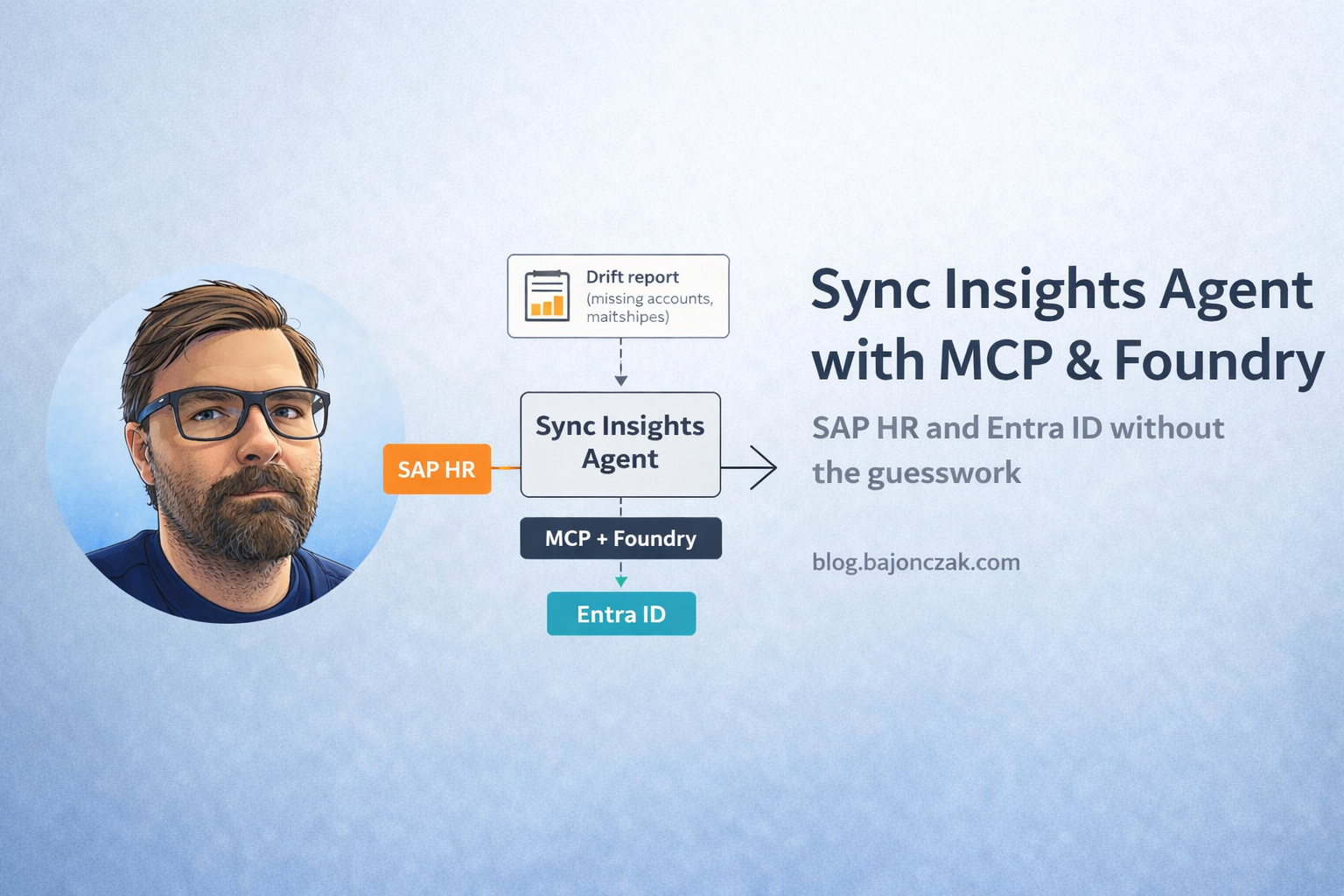
I would keep the architecture simple:
User
  -> Teams / Copilot / internal web app
  -> Foundry agent
  -> MCP tools
  -> Integration backend
  -> SAP SuccessFactors / SAP HR OData
  -> Microsoft Graph / Entra ID
  -> Sync report + cited source records
The important part is the boundary between the agent and the systems.
The agent does not get raw, open-ended access to SAP and Graph. It gets narrow tools. The backend owns credentials, filtering, comparison rules, logging and rate limits.
In other words:
Let the agent orchestrate. Do not let it become the security model.
Tool design
I would expose tools that match operational tasks.
sap_list_active_users
Returns a normalized list of active HR users.
{
  "name": "sap_list_active_users",
  "description": "List active employees from SAP HR or SuccessFactors with key identity attributes.",
  "parameters": {
    "type": "object",
    "properties": {
      "limit": {
        "type": "integer",
        "default": 1000,
        "maximum": 5000
      }
    }
  }
}
I would not expose every HR field. The tool should return the fields needed for identity drift, not a full employee dossier.
entra_list_users
Returns the Entra ID side of the comparison.
{
  "name": "entra_list_users",
  "description": "List Entra ID users with key attributes used for SAP HR comparison.",
  "parameters": {
    "type": "object",
    "properties": {
      "limit": {
        "type": "integer",
        "default": 2000,
        "maximum": 10000
      }
    }
  }
}
Again, keep the result narrow. The agent does not need every Entra property to answer drift questions.
report_sync_mismatches
This is the main tool.
{
  "name": "report_sync_mismatches",
  "description": "Compare SAP HR and Entra ID users and return missing users or attribute mismatches.",
  "parameters": {
    "type": "object",
    "properties": {
      "includeDepartments": { "type": "boolean", "default": true },
      "includeManagers": { "type": "boolean", "default": true },
      "limitSap": { "type": "integer", "default": 1000 },
      "limitEntra": { "type": "integer", "default": 2000 }
    }
  }
}
This tool should call SAP and Entra through the backend, run comparison logic in code, and return a structured result.
The model can summarize it. It should not calculate it from raw dumps in the chat context.
Project shape
For a TypeScript implementation, I would keep the project boring:
mcp-sap-entra-agent/
  src/
    config.ts
    sapClient.ts
    entraClient.ts
    mismatches.ts
    mcpServer.ts
    audit.ts
  .env
  package.json
  tsconfig.json
Setup:
mkdir mcp-sap-entra-agent
cd mcp-sap-entra-agent
npm init -y
npm install typescript ts-node @types/node axios dotenv
npm install @modelcontextprotocol/sdk
npx tsc --init
Environment:
SAP_BASE_URL="https://api.successfactors.eu/odata/v2"
SAP_USERNAME="..."
SAP_PASSWORD="***"

ENTRA_TENANT_ID="..."
ENTRA_CLIENT_ID="..."
ENTRA_CLIENT_SECRET="***"
For production, I would avoid long-lived secrets where possible and use managed identity, workload identity or a secret store. The .env pattern is fine for a local PoC, not for a serious identity integration.
SAP client
The SAP side should return a normalized shape.
// src/sapClient.ts
import axios from 'axios';
import { SAP_BASE_URL, SAP_USERNAME, SAP_PASSWORD } from './config';

export type SapUser = {
  userId: string;
  email: string | null;
  firstName: string | null;
  lastName: string | null;
  department: string | null;
  managerId: string | null;
  status: 'Active' | 'Inactive';
};

export async function listSapUsers(limit = 500): Promise<SapUser[]> {
  const url = `${SAP_BASE_URL}/User?$format=json&$top=${limit}&$select=userId,email,firstName,lastName,department,managerId,status`;

  const resp = await axios.get(url, {
    auth: {
      username: SAP_USERNAME,
      password: SAP_PASSWORD,
    },
  });

  const results = resp.data?.d?.results ?? [];

  return results.map((r: any) => ({
    userId: r.userId,
    email: r.email || null,
    firstName: r.firstName || null,
    lastName: r.lastName || null,
    department: r.department || null,
    managerId: r.managerId || null,
    status: r.status === 'Inactive' ? 'Inactive' : 'Active',
  }));
}
Real SuccessFactors environments vary. Field names, authentication and pagination are the parts I would expect to adjust first.
Entra client
The Entra side uses Microsoft Graph.
// src/entraClient.ts
import axios from 'axios';
import {
  ENTRA_TENANT_ID,
  ENTRA_CLIENT_ID,
  ENTRA_CLIENT_SECRET,
} from './config';

export type EntraUser = {
  id: string;
  userPrincipalName: string;
  mail: string | null;
  displayName: string | null;
  department: string | null;
  managerId: string | null;
};

async function getAccessToken(): Promise<string> {
  const url = `https://login.microsoftonline.com/${ENTRA_TENANT_ID}/oauth2/v2.0/token`;
  const params = new URLSearchParams();
  params.append('client_id', ENTRA_CLIENT_ID);
  params.append('client_secret', ENTRA_CLIENT_SECRET);
  params.append('scope', 'https://graph.microsoft.com/.default');
  params.append('grant_type', 'client_credentials');

  const resp = await axios.post(url, params);
  return resp.data.access_token as string;
}

export async function listEntraUsers(limit = 500): Promise<EntraUser[]> {
  const token = await getAccessToken();
  const url = `https://graph.microsoft.com/v1.0/users?$top=${limit}&$select=id,userPrincipalName,mail,displayName,department`;

  const resp = await axios.get(url, {
    headers: { Authorization: `Bearer ${token}` },
  });

  const value = resp.data?.value ?? [];

  return value.map((u: any) => ({
    id: u.id,
    userPrincipalName: u.userPrincipalName,
    mail: u.mail || null,
    displayName: u.displayName || null,
    department: u.department || null,
    managerId: null,
  }));
}
Manager lookup may need an additional Graph call. I would not hide that cost. If manager comparison matters, model it explicitly and cache carefully.
Mismatch calculation
Comparison logic belongs in code.
// src/mismatches.ts
import { SapUser } from './sapClient';
import { EntraUser } from './entraClient';

export type SyncMismatch = {
  type: 'MissingInEntra' | 'MissingInSap' | 'AttributeMismatch';
  sapUser?: SapUser;
  entraUser?: EntraUser;
  details: string;
};

function normalizeEmail(email: string | null): string | null {
  return email ? email.trim().toLowerCase() : null;
}

export function computeMismatches(
  sapUsers: SapUser[],
  entraUsers: EntraUser[]
): SyncMismatch[] {
  const mismatches: SyncMismatch[] = [];
  const activeSapUsers = sapUsers.filter(s => s.status === 'Active');

  const entraByEmail = new Map<string, EntraUser>();
  const entraByUpn = new Map<string, EntraUser>();

  for (const e of entraUsers) {
    const emailNorm = normalizeEmail(e.mail);
    if (emailNorm) entraByEmail.set(emailNorm, e);
    entraByUpn.set(e.userPrincipalName.toLowerCase(), e);
  }

  for (const s of activeSapUsers) {
    const emailNorm = normalizeEmail(s.email);
    let match: EntraUser | undefined;

    if (emailNorm) match = entraByEmail.get(emailNorm);
    if (!match) match = entraByUpn.get(s.userId.toLowerCase());

    if (!match) {
      mismatches.push({
        type: 'MissingInEntra',
        sapUser: s,
        details: `No Entra user matching SAP userId=${s.userId}, email=${s.email}`,
      });
      continue;
    }

    const sapDept = (s.department || '').trim();
    const entraDept = (match.department || '').trim();

    if (sapDept && entraDept && sapDept !== entraDept) {
      mismatches.push({
        type: 'AttributeMismatch',
        sapUser: s,
        entraUser: match,
        details: `Department mismatch: SAP="${sapDept}" vs ENTRA="${entraDept}"`,
      });
    }
  }

  const sapEmails = new Set(
    activeSapUsers.map(s => normalizeEmail(s.email)).filter((e): e is string => !!e)
  );
  const sapUserIds = new Set(activeSapUsers.map(s => s.userId.toLowerCase()));

  for (const e of entraUsers) {
    const emailNorm = normalizeEmail(e.mail);
    const upn = e.userPrincipalName.toLowerCase();

    const emailInSap = emailNorm && sapEmails.has(emailNorm);
    const idInSap = sapUserIds.has(upn);

    if (!emailInSap && !idInSap) {
      mismatches.push({
        type: 'MissingInSap',
        entraUser: e,
        details: `No SAP user for Entra UPN=${e.userPrincipalName}, mail=${e.mail}`,
      });
    }
  }

  return mismatches;
}
I would add unit tests around this before connecting real systems. The comparison rules are where small mistakes become access problems.
MCP server
The MCP server should expose narrow tools and keep credentials inside the backend.
// src/mcpServer.ts
import { createMcpServer, ToolDefinition } from '@modelcontextprotocol/sdk';
import { listSapUsers } from './sapClient';
import { listEntraUsers } from './entraClient';
import { computeMismatches } from './mismatches';

const tools: ToolDefinition[] = [
  {
    name: 'sap_list_active_users',
    description: 'List active users from SAP HR or SuccessFactors.',
    inputSchema: {
      type: 'object',
      properties: {
        limit: { type: 'number', minimum: 1, maximum: 5000 },
      },
      required: [],
    },
    handler: async (input) => {
      const users = await listSapUsers(input.limit ?? 1000);
      return { users: users.filter(u => u.status === 'Active') };
    },
  },
  {
    name: 'entra_list_users',
    description: 'List users from Entra ID with identity comparison fields.',
    inputSchema: {
      type: 'object',
      properties: {
        limit: { type: 'number', minimum: 1, maximum: 10000 },
      },
      required: [],
    },
    handler: async (input) => {
      const users = await listEntraUsers(input.limit ?? 2000);
      return { users };
    },
  },
  {
    name: 'report_sync_mismatches',
    description: 'Compare SAP HR and Entra ID users and return missing users or attribute mismatches.',
    inputSchema: {
      type: 'object',
      properties: {
        limitSap: { type: 'number', minimum: 1, maximum: 5000 },
        limitEntra: { type: 'number', minimum: 1, maximum: 10000 },
      },
      required: [],
    },
    handler: async (input) => {
      const sapUsers = await listSapUsers(input.limitSap ?? 1000);
      const entraUsers = await listEntraUsers(input.limitEntra ?? 2000);
      const mismatches = computeMismatches(sapUsers, entraUsers);

      return {
        totalSap: sapUsers.length,
        totalEntra: entraUsers.length,
        mismatchCount: mismatches.length,
        mismatches,
      };
    },
  },
];

async function startServer() {
  const server = createMcpServer({ tools });
  await server.listen(3000);
  console.log('[MCP] SAP/Entra Sync Insights agent listening on :3000');
}

startServer().catch((err) => {
  console.error('[MCP] Failed to start server', err);
  process.exit(1);
});
The exact MCP SDK API may change. I would treat this as the shape of the implementation, not a copy-paste guarantee for every SDK version.
Security trimming and blast radius
This agent should start read-only.
The first version should not disable users, update departments or write manager relationships. It should report drift.
Controls I would add early:
- least-privilege Graph application permissions
- narrow SAP API user or destination
- no salary or private HR fields in tool results
- max result limits
- correlation IDs for every tool call
- logs that record decisions, not full HR payloads
- role-based access to the agent
- no write tools until drift reporting is trusted
The agent should be allowed to say:
I can show the mismatch report, but I cannot change Entra ID from this chat.
That is not a limitation. That is good design.
Where Foundry helps
Foundry is useful around the agent lifecycle.
I would use it for:
- registering the agent and tools
- controlling who can access the agent
- evaluating expected answers
- testing tool-call behavior
- deploying the agent in a managed way
- monitoring usage
But Foundry does not replace the integration backend. The backend is still where SAP calls, Graph calls, comparison logic and policy enforcement should live.
If the backend is a mess, Foundry only gives the mess a nicer front door.
Example user interactions
A good Sync Insights agent should answer like an operations tool.
User:
Show me active SAP users missing in Entra.
Agent:
I found 14 active SAP users without a matching Entra account. 9 are new hires from the last 48 hours, 3 are contractors without a mapped mail address, and 2 look like data issues because the SAP userId does not match the Entra UPN pattern. I created no changes. Here is the report grouped by likely cause.
User:
Which department mismatches should IAM review first?
Agent:
I would start with 6 users where SAP shows Finance but Entra still shows Sales, because those department values are used in access packages. The other 11 mismatches look like display/reporting drift only.
That is the useful level. Not “here is a giant JSON dump”. Not “I fixed everything for you”.
Tests I would run first
Before this goes near production, I would test:
| Test | Expected result |
|---|---|
| SAP active user missing in Entra | reported as MissingInEntra |
| Entra user with no active SAP match | reported as MissingInSap |
| same user with different department | reported as AttributeMismatch |
| inactive SAP user | not treated like a missing Entra user |
| user without permission asks for report | denied |
| huge tenant query | result limited and paginated |
| SAP unavailable | clear error, no invented answer |
| Graph throttling | retry or fail cleanly |
| sensitive HR field requested | refused or omitted |
The important test is the negative one: the agent must not answer reports for users who are not allowed to see them.
My take
A real Sync Insights agent is not magic. It is an operational layer over a boring integration backend.
That is exactly why I like the pattern.
SAP and Entra stay behind narrow tools. Comparison logic lives in code. Foundry hosts and governs the agent. MCP makes the tool boundary explicit. The user gets a conversational way to inspect identity drift without giving the model uncontrolled access to HR and identity systems.
I would start read-only, make the reports trustworthy, then add assisted remediation later.
If the reports are not boring yet, the automation should not be powerful yet.