Why I built a Microsoft 365 connector for SAP SuccessFactors
There is a moment in almost every Microsoft 365 project where the conversation changes.
At first, everybody talks about agents, Power Apps, copilots, automation, approvals, self service, HR scenarios, service processes. The room is full of ideas. Then somebody asks the practical question: "Can we actually use the data from our core system?"
Spoiler Alert: https://sap-connectors.bajonczak.com/
And very often, that is where the energy drops.
Not because the idea was bad. Not because Microsoft 365, Power Platform, or agents are weak. The problem is simpler: the business wants to work in the tools it already understands, but the data sits somewhere else. In many companies, especially in HR, that somewhere else is SAP SuccessFactors.
I built my connector because I kept seeing that gap.
The gap between ideas and usable data
Business departments do not wake up in the morning thinking about APIs, Swagger files, OAuth settings, or certification rules. They think about people, processes, exceptions, approvals, reports, and the small daily tasks that slow everything down.
A HR team might want to ask an agent for employee information. A manager might want a simple Power App that supports onboarding. A service team might want to trigger a workflow when a change happens in SuccessFactors. None of those people should need to become integration developers first.
That is the point of connectors in the Power Platform.
Microsoft describes custom connectors as wrappers around REST or SOAP APIs. They make external services available inside Azure Logic Apps, Power Automate, Power Apps, and Copilot Studio. Once the connector exists, makers can use actions and triggers without dealing with the raw API every time.
That sounds technical, but the business meaning is much bigger: a connector turns a system into something people can actually build with.
How a connector becomes real
The Power Platform connector process is surprisingly structured. Microsoft does not just ask for a nice name and an endpoint.
A connector needs a clear OpenAPI 2.0 definition. That definition describes the operations, inputs, outputs, and data structures the platform can expose to makers. It also needs an API properties file, where connection parameters, authentication, colors, capabilities, and policies live. And it needs a README that explains what the connector does, how to use it, how to get credentials, what operations exist, and what limitations users should know about.
For a public connector, the work also goes through GitHub. Microsoft's PowerPlatformConnectors repository is the place where connector definitions are submitted. Independent Publisher connectors live in their own folder, are submitted by people or companies that do not own the underlying service, and become available as premium connectors in the Power Platform after review. A pull request must include the connector files, tested operations, screenshots from successful flows, the right labels, and enough documentation for Microsoft and the community to understand what is being submitted.
There is also validation. The repository checks the Swagger definition, looks for connector rule violations, and watches for breaking changes. That matters. A connector is not a demo artifact. Once people start building apps, flows, and agents on top of it, every change has consequences.
I like that discipline. It forces you to think about the connector as a product, not as a one-time integration trick.
Why SAP SuccessFactors needed this
SAP SuccessFactors is central in many HR landscapes. Microsoft 365 is central in many daily work landscapes. Power Platform sits exactly where business teams want to turn process knowledge into usable apps, workflows, and agents.
But the connection between those worlds was not where I wanted it to be.
There are many generic ways to integrate systems. You can build APIs. You can use middleware. You can write custom code. You can route everything through an integration platform. Those approaches are valid, and in some enterprise scenarios they are the right answer.
But they do not solve the maker problem.
A business department does not want to wait for a full integration project every time it wants to test a new process idea. A Power Apps maker should not have to understand every technical detail of the SuccessFactors API before building a simple experience. A Microsoft 365 agent should not need a custom backend for every first experiment.
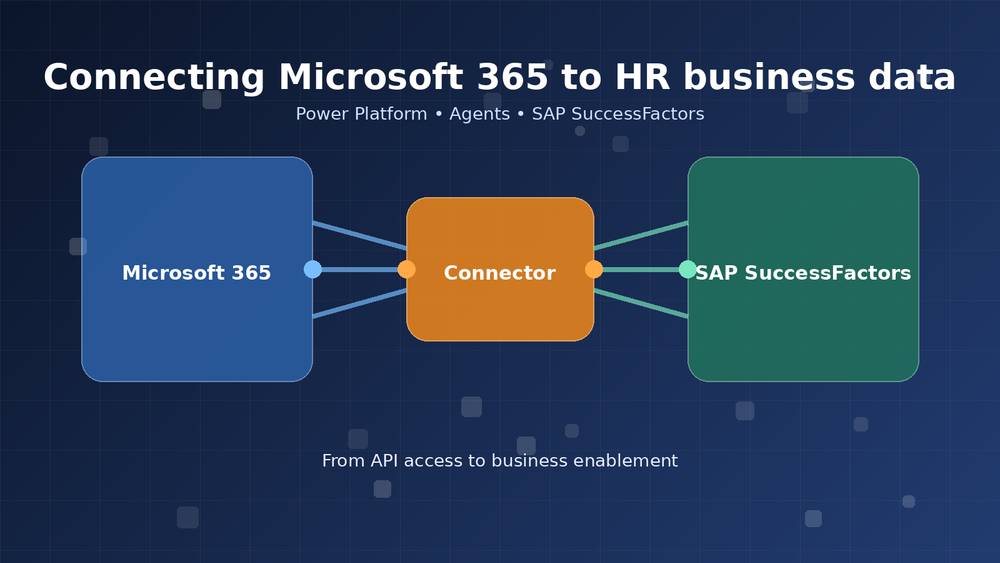
So I built the missing layer: a Microsoft 365 premium connector for SAP SuccessFactors.
The goal is not to replace enterprise integration architecture. The goal is to make SuccessFactors accessible where modern work happens: inside Power Apps, Power Automate, and Microsoft 365 agents.
From technical access to business enablement
The important part is not the connector file itself. The important part is what it unlocks.
When a connector is available in the Power Platform gallery, a department can start building. They can create a Power App for a focused HR process. They can automate a request flow. They can give an agent controlled access to selected SuccessFactors capabilities. They can prototype faster and learn faster.
That changes the role of IT too.
Instead of being the team that has to build every screen, every workflow, and every small integration by hand, IT can define the boundary. Which actions are exposed? Which data is safe? Which scenarios are supported? Which governance rules apply? The business gets room to move, and IT keeps the architecture from turning into chaos.
That is where I see the real value.
Connectors are not just technical plumbing. Done properly, they are governance tools. They define the safe lane where business users can build without bypassing the systems that matter.
Why I am making it available
I could have kept this as a private connector for one scenario. That would have been easier.
But the gap is bigger than one customer, one department, or one project. Many companies are trying to bring Microsoft 365 agents, Power Platform, and SAP based HR processes closer together. The demand is already there. What is missing is a reusable bridge that people can start from.
That is why the connector will be available for a limited time in the Power Platform gallery and also through:
https://sap-connectors.bajonczak.com
This is the first step in a larger direction. I am going to keep expanding this topic, because I believe the next wave of enterprise productivity will not be won by isolated AI demos. It will be won by people who understand both sides: the business systems where the data lives and the Microsoft 365 tools where work actually happens.
That is the space I am building in.
Taking a position
I do not want to be another person talking abstractly about agents.
Agents only become useful when they can act on the right business context. Power Apps only become valuable when they reduce friction for real users. Power Automate only matters when it connects the systems behind the process.
That is why connectors matter so much.
With this SAP SuccessFactors connector, I am closing a specific gap: making HR data and actions easier to use inside Microsoft 365 and the Power Platform. More importantly, I am setting a direction for how I want to work from here: practical, reusable connectors that help departments move faster without losing control.
My focus is clear now.
I want to become the person companies think of when they need Microsoft 365, Power Platform, agents, and SAP business systems to work together in a way the business can actually use.
Not as a slide. Not as a proof of concept that dies after a workshop.
As something people can build on.