Microsoft 365 eSignature vs Adobe Sign vs DocuSign
Microsoft 365 eSignature vs Adobe Sign vs DocuSign
This is not a religious debate. It is a workflow decision.
Guide: If you are not choosing between vendors yet and first need the Microsoft 365 rollout basics, start with the Microsoft 365 eSignature admin guide.
Microsoft 365 eSignature is attractive when the document already lives in SharePoint and the signing process is simple. Adobe Acrobat Sign and DocuSign are stronger when signing is part of a larger agreement process with templates, routing, identity options, integrations and reporting.
This article belongs to the Microsoft 365 eSignature guide. If you need a reusable decision artifact, download the comparison table.
The short version
Use Microsoft 365 eSignature when you want a simple Microsoft-native signing flow and the signed document should stay in SharePoint.
Use Adobe Acrobat Sign when PDF-heavy workflows, Adobe tooling or mature signing templates are already part of the business.
Use DocuSign when agreements are a serious business process rather than a document with a signature field.
That is oversimplified, but it is a decent starting point.
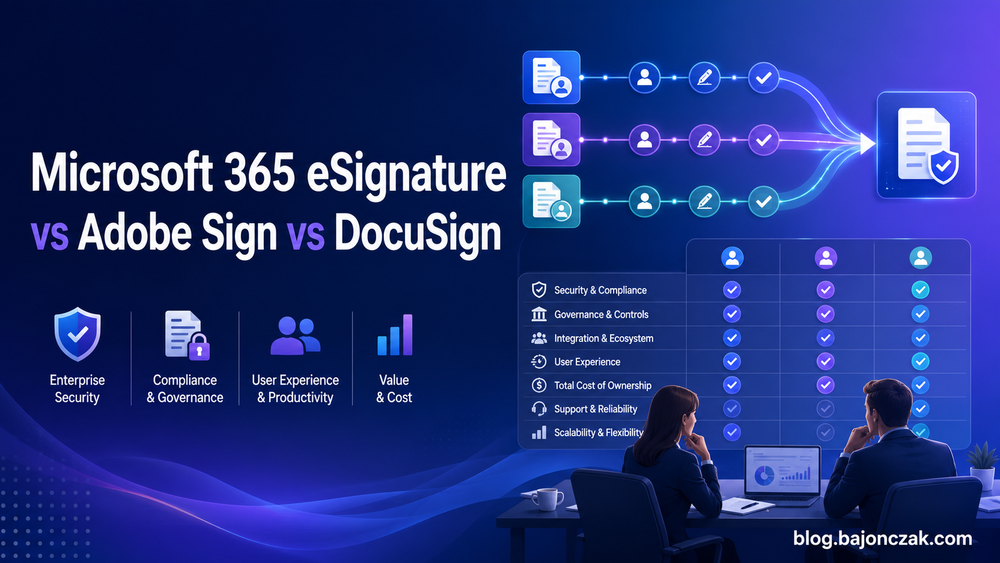
Comparison table
| Area | Microsoft 365 eSignature | Adobe Acrobat Sign | DocuSign |
|---|---|---|---|
| Best fit | Simple SharePoint-native signing | PDF-heavy enterprise signing | Advanced agreement workflows |
| Storage model | Signed PDF returns to SharePoint | Provider workflow with Microsoft integrations | Provider workflow with Microsoft integrations |
| Microsoft 365 integration | Native SharePoint, Word, Teams Approvals and Purview audit | Strong Microsoft 365 integrations | Strong Microsoft 365 integrations |
| Pricing shape | Pay-as-you-go per request | Plan/licensing dependent | Plan/licensing dependent |
| Governance model | SharePoint and Entra governance matter heavily | Provider admin plus integration governance | Provider admin plus integration governance |
| Advanced templates | Limited compared with dedicated platforms | Strong | Strong |
| Bulk send and routing | Not the main strength | Stronger | Stronger |
| Best admin argument | Keeps simple workflows inside Microsoft 365 | Mature PDF signing ecosystem | Mature agreement workflow ecosystem |
Where Microsoft 365 eSignature wins
Microsoft wins on proximity.
The document is already in SharePoint. The user is already in Microsoft 365. The signed PDF comes back to the same place. Audit activity can be searched in Microsoft Purview. Teams Approvals can help users track requests.
For common internal approvals, HR forms, policy acknowledgements, procurement documents or low-complexity external signing, that is a strong story.
It also reduces tool sprawl. If a process does not need a dedicated eSignature platform, keeping it inside Microsoft 365 is cleaner.
Where Adobe Sign and DocuSign win
Dedicated platforms win when signing is not the whole process.
Think reusable template libraries, conditional routing, bulk sending, advanced recipient authentication, branded experiences, CRM integration, contract operations, APIs, delegated administration and reporting. That is where Adobe Acrobat Sign and DocuSign have had years to mature.
If sales, legal or procurement already run critical workflows through one of those platforms, do not rip it out just because Microsoft added a native option.
Governance is different, not gone
Microsoft 365 eSignature pushes governance into SharePoint and Entra. Site permissions, guest access, sharing restrictions, sensitivity labels and conditional access all matter.
Adobe Sign and DocuSign push more of the workflow governance into the provider platform. You still need Microsoft integration governance, but the signing process itself is usually managed in the signing product.
Neither model is automatically better. The better model is the one your organization can actually operate.
My recommendation
I would define three buckets:
- Microsoft 365 eSignature for simple, SharePoint-native signing.
- Adobe Sign or DocuSign for advanced, regulated, high-volume or customer-critical workflows.
- No eSignature tool at all for things that should just be an approval, a form or a workflow task.
That third bucket matters. Not every “please confirm this” needs a paid signature request.
Bottom line
Microsoft 365 eSignature will not kill Adobe Sign or DocuSign. It does not need to.
Its job is to cover the boring but useful middle: documents already in Microsoft 365 that need a simple signature and a signed PDF back in SharePoint. Use it there and it makes sense. Push it into every workflow and you will eventually regret it.