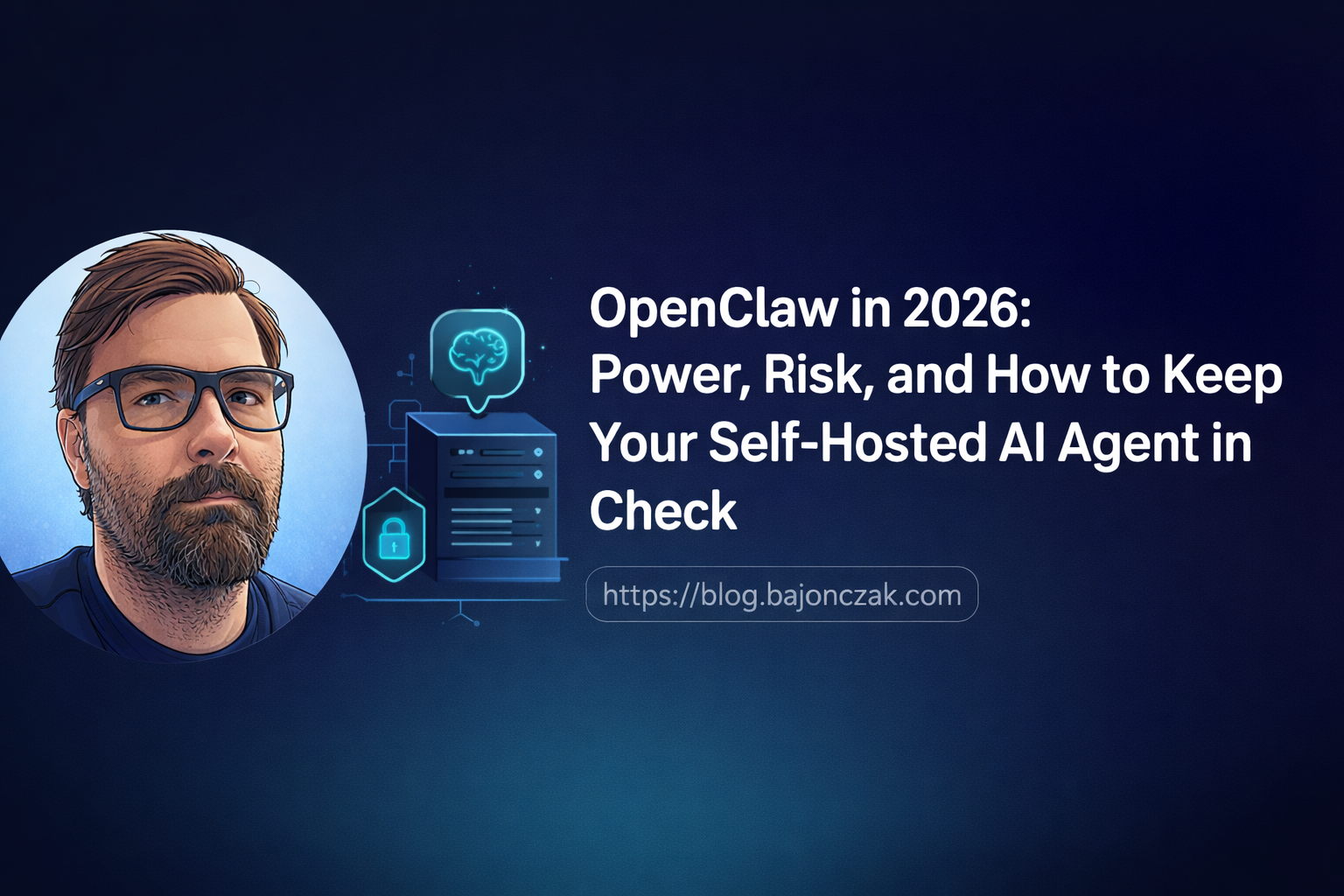
OpenClaw in 2026: Power, Risk, and How to Keep Your Self-Hosted AI Agent in Check
OpenClaw looks harmless when you first meet it. A chat interface, a few tools, a self-hosted control plane, some skills. Nice for power users, maybe useful for side projects, maybe something you could replace with a handful of scripts and a hosted LLM.
That view changes the moment you connect it to the things you actually care about: your repos, your blog, your servers, your notifications, your home lab, your APIs.
At that point OpenClaw is no longer “just another chatbot”. A more honest description is this:
OpenClaw is a CI/CD and operations runner with a personality. It just happens to talk back in natural language.
That is why I like the idea. It is also why I would not run it casually.
In this post I want to look at OpenClaw from the angle that actually matters in 2026: what it is in practice, why self-hosting is not a security pass, which risk patterns show up quickly, how I would harden it, where it helps in DevOps and home-lab workflows, and where I would draw a hard line.
What OpenClaw is in practice
If you strip away the AI label, OpenClaw is basically:
- a daemon running under a specific user on a machine you control,
- a toolbox for automation: shell, HTTP, file I/O, cron, browser automation, messaging, and similar tools,
- a skills system for repeatable workflows,
- and a control surface through chat, CLI, web UI, or APIs.
That makes it feel a lot like a personal automation runner glued to a chat interface.
The important part is not the chat. The important part is the permission model:
The agent can do what its host user can do, plus whatever external APIs and tokens you wire into it.
If the user can read a repo, the agent can read that repo. If the user can call a deployment script, the agent can call that script. If the user has access to a directory full of notes, keys, logs, exports, or customer data, the agent is close to that data too.
That can be genuinely useful:
- ask it to inspect logs and summarize what changed since yesterday,
- let it draft documentation from code comments,
- have it check side-project health endpoints,
- use it to prepare Ghost drafts or collect links for a post,
- wire it into Jira, M365, Home Assistant, or custom APIs.
But the mental model should not be “friendly assistant”. The mental model should be “automation account with language skills”. If you would not give a human the same shell, directories, and API keys, you should not give them to an unconstrained agent either.
Self-hosted does not automatically mean safe
A lot of people hear “self-hosted” and mentally translate it to “secure”. That is too simple.
Self-hosting removes some risks:
- your control plane lives on a machine you manage,
- your local context does not sit inside a random SaaS product by default,
- you can decide where logs, files, and skills live,
- you can put the whole thing behind your own network controls.
But it also adds work:
- you have to harden the host,
- you have to manage firewall rules and exposed ports,
- you have to protect secrets and tokens,
- you have to review what skills can do,
- you have to notice when something behaves strangely.
There is no magic vendor boundary that saves you from a bad sudoers rule, an exposed admin port, or a token with global write permissions.
The real security posture is:
OpenClaw is as safe as the machine it runs on, the account it runs as, the network path to it, and the capabilities you allow.
That can be a good setup. A locked-down VM with limited scopes, private access, clear logs, and conservative skills can be a reasonable personal automation layer.
A public VPS running as root with broad API keys in environment variables is a remote incident waiting for a trigger.
Risk patterns I would watch first
Most OpenClaw risk is not exotic AI science-fiction. It is normal automation risk, made more interesting because a model can choose actions from messy natural-language input.
1. Exposed control surfaces
The obvious failure mode is exposing the control interface directly to the internet.
If the agent has shell access and the control surface has weak auth, a bug, or a bad reverse proxy setup, you have created something close to a remote shell endpoint. Even if the software itself is fine, scanners, credential stuffing, and bad defaults become your problem.
My baseline:
- bind local services to
127.0.0.1unless there is a clear reason not to, - use WireGuard, Tailscale, or SSH tunnelling for remote access,
- if HTTP access is unavoidable, put it behind a reverse proxy with HTTPS, strong auth, IP restrictions where possible, and rate limiting,
- do not expose experimental instances on a public IP “just for a quick test”.
2. Running with too much privilege
Running OpenClaw as root is the classic mistake. Running it as your main desktop user with full access to your home directory can be almost as bad.
The agent inherits the host user’s world:
- readable files,
- writable project folders,
- SSH config,
- cloud CLIs,
- kubeconfig files,
- local credentials,
- browser profiles if you are careless,
- sudo rights.
I would run it under a dedicated user such as openclaw or ai-agent, with no broad sudo rights and only the directories it actually needs.
3. Secrets dropped into skills
Hardcoded tokens in scripts are already a bad habit. With agents, the habit gets worse because people want the agent to “just handle it”.
Do not give one agent all the keys to everything.
Prefer:
- per-service tokens,
- read-only scopes where possible,
- separate tokens per skill or workflow,
- short-lived credentials if your platform supports them,
- a minimal
.envor a proper secrets store, - no access to password vault exports, banking, HR, health, or other high-impact data unless there is a strong reason and a tight design.
4. Letting the model invent dangerous commands
For low-risk exploration, free-form shell can be useful. For anything that matters, I prefer “script first, AI second”.
The model should not be asked to improvise a production cleanup, firewall change, migration, or deployment command from scratch. It should call a known script with clear parameters, show what it plans to do, and wait for approval if the action is sensitive.
A good skill says: “Here are the allowed operations.”
A risky skill says: “Run whatever command seems right.”
5. Confusing read access with no risk
Read-only access still has risk. An agent that can read logs, emails, tickets, customer exports, or internal notes can leak context into prompts, summaries, screenshots, files, or outbound API calls.
For personal use, this may be acceptable. For company systems, you need to think like a data owner: what can the agent see, where can it send that data, and who reviews that decision?
How I would harden an OpenClaw deployment
Here is the checklist I would start with before giving OpenClaw anything important.
Use a dedicated user and a bounded workspace
Run OpenClaw as a dedicated user with limited file access.
For example:
/home/openclaw/workspace
/home/openclaw/logs
/srv/openclaw-skills
Then explicitly mount or grant access to only the project folders it needs. Do not hand it your entire home directory because it is convenient.
The account should not have passwordless sudo. If a workflow really needs privileged actions, move that into a narrow script with a controlled interface, or keep it in your normal CI/CD platform.
Keep the control plane private
My preferred access pattern is boring:
- local bind,
- private network,
- VPN,
- no public admin port.
If you need browser-based access from outside, use a real reverse proxy setup. Add OIDC or another strong auth layer. Keep logs. Rate-limit. Make the route explicit, not accidental.
Scope skills by risk level
I would tag skills like this:
skills:
  summarize_logs:
    risk: safe
    access: read-only
    confirm: false

  create_jira_ticket:
    risk: sensitive
    access: write-ticket
    confirm: true

  restart_home_lab_service:
    risk: sensitive
    access: limited-service-control
    confirm: true

  rotate_cloud_keys:
    risk: dangerous
    access: privileged
    confirm: two-step
The exact syntax does not matter. The discipline matters.
A useful split is:
- safe: read-only queries, summaries, documentation drafts,
- sensitive: writes to tickets, repos, calendars, posts, service restarts,
- dangerous: deploys, destructive cleanup, key rotation, firewall changes, financial actions, anything with customer impact.
Safe actions can run with little friction. Sensitive actions need explicit confirmation. Dangerous actions either need a second confirmation path or should live somewhere else.
Prefer explicit scripts over open shell
For important workflows, make the skill call a script you already understand:
./scripts/check-project.sh my-service
./scripts/summarize-errors.sh /var/log/my-service/app.log 24h
./scripts/create-draft.sh --source notes/openclaw.md
The agent can choose the workflow, pass parameters, summarize output, and ask follow-up questions. It should not need to invent the whole operating procedure every time.
This is the same thinking I use for CI/CD. Pipelines are safer when they run known steps, not when every deploy is a fresh improvisation.
Log the boring details
Log at least:
- who triggered the skill,
- which skill ran,
- which command or API call was executed,
- which directory it ran in,
- whether confirmation was required,
- whether it succeeded,
- the relevant output or a pointer to it.
You do not need an enterprise SIEM for a home lab. A timestamped log file is already better than guessing. For team use, central logging becomes more important.
Separate lab and serious use
Have two instances if you need both modes:
- a playground instance for new skills and experiments,
- a locked-down instance for workflows that touch real services.
Do not test a new browser automation skill on the same agent account that can reach production secrets, deployment tokens, or your personal vault.
Concrete DevOps and home-lab workflows
This is where OpenClaw becomes interesting. The sweet spot is the long tail of operations work that is too small for a full platform but annoying enough to automate.
Local project pre-flight checks
Before starting work on a repo, OpenClaw can run a known set of checks:
- pull latest changes,
- check dependency state,
- run tests or lint,
- inspect container status,
- summarize failures in plain language.
The command still comes from your scripts or Makefile. The agent makes it easier to trigger and interpret:
“Run the pre-flight checks for the Ghost tooling repo and tell me what needs attention.”
That is a good OpenClaw workflow because the action is bounded and the result is useful.
Log review and incident summaries
For side projects and internal tools, OpenClaw can inspect logs and summarize patterns:
- error spikes in the last 24 hours,
- failed cron jobs,
- unusual HTTP status codes,
- container restarts,
- database connection errors.
I would keep the first version read-only. Let it summarize and suggest next steps. Do not let it auto-fix production issues until the remediation path is narrow and tested.
Documentation and changelog help
OpenClaw is a good fit for boring documentation work:
- update README sections from code comments,
- summarize recent commits,
- draft changelog entries,
- collect TODOs from issues and notes,
- prepare pull request descriptions.
The important boundary: it can draft and stage, but a human reviews before merge.
Blog and knowledge workflows
For a personal blog or knowledge base, OpenClaw can help with:
- turning rough notes into a draft,
- collecting links and source snippets,
- checking older posts for overlap,
- preparing a Ghost draft,
- generating a short summary for social posts.
This is one of the lower-risk areas if the source material is not sensitive. It is also a good playground for new skills because mistakes are visible and usually recoverable.
Home-lab glue
In a home lab, OpenClaw can sit between scripts, monitoring, and chat:
- check whether services are up,
- summarize Docker or systemd status,
- remind you about expiring certificates or tokens,
- verify backups ran,
- restart a non-critical side-project service after confirmation.
That last phrase matters: after confirmation. Restarting a test container is one thing. Touching storage, firewall rules, cameras, locks, or anything family members rely on is a different risk class.
“Keep me honest” automation
I like OpenClaw for small recurring checks:
- “Which projects have stale dependencies?”
- “Which domains or certs expire soon?”
- “Which API keys have not been rotated in a while?”
- “Which backups have not produced a fresh file this week?”
These are not glamorous workflows. They are useful because they reduce the number of things you forget.
Where I would not use OpenClaw
There are places where I would deliberately keep OpenClaw out of the direct execution path.
Customer-critical production deployments
OpenClaw can help prepare a release, summarize checks, draft release notes, or open a PR. I would not make it the only path to production for customer-critical systems.
Production deployments belong in systems with clear approvals, rollbacks, audit trails, environment protection, and boring repeatability: GitHub Actions, GitLab CI, Azure DevOps, Jenkins, or whatever your team already operates well.
Highly regulated data flows
HR, health, finance, legal, and regulated customer data need tighter design than “agent on a dev box can read files and call APIs”.
If OpenClaw has to interact with that world, put a narrow API in front of it. Let the agent request a permitted action or create a ticket. Do not give it broad direct access.
Anything auditors need to understand quickly
“Our deployment pipeline runs here, with these approvals and these logs” is easy to explain.
“An AI agent sometimes runs operational commands when someone asks in chat” is not.
That does not make OpenClaw bad. It means you should choose the right layer for the job.
Personal high-risk systems
I would be very careful with:
- password managers,
- banking,
- private mailboxes,
- cameras,
- locks,
- family calendars,
- personal document archives.
Convenience is not enough of a reason to connect everything.
How OpenClaw fits into a broader stack
I would not position OpenClaw as a replacement for Copilot, Microsoft Foundry, MCP-based enterprise agents, or classic CI/CD.
I see the stack more like this:
- Copilot for the inside-M365 experience: documents, meetings, mail, Teams, Office workflows.
- Foundry and MCP-style agents for governed enterprise integrations across systems, with identity, policy, and observability built into the platform design.
- Classic CI/CD for production-grade build, test, deploy, rollback, and approval flows.
- OpenClaw for personal and team-level automation on infrastructure you own: scripts, side projects, home lab, local DevOps chores, draft preparation, operational summaries.
OpenClaw sits close to your machine, your scripts, and your working style. That is its strength. It can cover the messy gap between “I should automate this” and “this deserves a full platform”.
But it deserves the same respect as any system that can run commands and call APIs on your behalf.
My take
OpenClaw is powerful because it turns ordinary automation into something you can steer conversationally. You can ask it to check logs, prepare a draft, inspect a repo, summarize service health, or run a bounded workflow without jumping between terminals and dashboards.
The danger is the same reason it is useful: it sits near real access.
So I would run OpenClaw like this:
- dedicated user,
- private control plane,
- limited directories,
- scoped tokens,
- explicit skills,
- confirmation for writes and destructive actions,
- logs I can review,
- separate playground and serious instances.
Used that way, OpenClaw can be a very useful DevOps and home-lab companion.
Used casually, as a friendly bot with access to everything, it is only a matter of time until you shoot yourself in the foot. The agent may be clever, but the blast radius is still yours.