OpenClaw Isn’t a Toy – It’s a CI/CD System With a Personality
When you first look at OpenClaw, it’s easy to file it under “AI toy for power users”. A chat interface, some tools, a few integrations – nice, but nothing you couldn’t glue together with a couple of scripts and a hosted LLM.
That’s true at the demo level. But the moment you wire OpenClaw into the things you actually care about – your blog, your repos, your servers, your notifications – it stops being a toy.
From that point on, the more honest comparison is not “another chatbot”, but something closer to this:
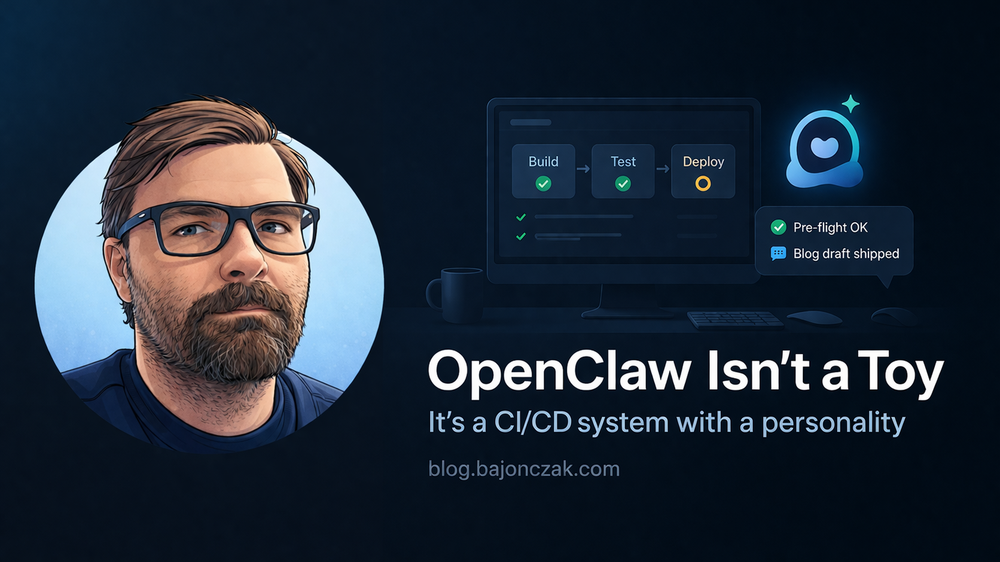
OpenClaw is a CI/CD and operations system with a personality. It just happens to talk back to you in natural language.
In this post I want to unpack what that means in practice: how I think about OpenClaw in a Dev/DevOps context, which workflows it’s well suited for, and where I deliberately draw a line because the blast radius would be too high.
What OpenClaw looks like through a DevOps lens
If you strip away the chat and the “AI” label for a second, OpenClaw is essentially:
- a daemon running under a specific user on a machine you control,
- a toolbox for automation (shell, HTTP, file I/O, cron, browser, messaging, etc.),
- a way to define repeatable workflows (skills) that use those tools,
- a control surface (chat, CLI, APIs) that you can access from your normal messaging apps.
If that sounds suspiciously like a CI/CD or automation runner glued to a chat UI, that’s because it kind of is.
Where it differs from classic CI/CD systems like Jenkins, GitHub Actions, GitLab CI or Azure DevOps is:
- you’re not limited to “on push / on schedule” events – you can trigger and steer workflows conversationally,
- the agent can propose actions or changes instead of blindly running a pipeline,
- you can integrate personal and side-project workflows that would be overkill in your main CI.
That doesn’t mean you should move your production deploys into OpenClaw. It means you can treat it as a personal or team‑level CI/CD and ops layer – with some extra intelligence on top.
Concrete workflows where OpenClaw shines
Let me give you a few examples where OpenClaw feels strong in day‑to‑day work.
1. Local DevOps chores
There is a long tail of dev/ops chores that are too small for a full pipeline, but annoying enough to automate:
- running a battery of checks on a repo before you start work,
- generating or updating documentation from code comments,
- grepping through logs for a specific pattern and summarising what changed since yesterday,
- pulling status from a few local services (containers, dev databases, message queues).
In a classic setup, you might have a handful of shell scripts or Makefile targets for this. With OpenClaw, you can wrap those into skills and then say things like:
- “Run my pre‑flight checks for project X and tell me if anything looks off.”
- “Summarise errors from the last 24 hours in log file Y.”
The scripts still run the checks. The agent just makes them easier to trigger and interpret.
2. Side‑project automation and home‑lab glue
Once you’re comfortable with OpenClaw on your workstation or a small server, it’s hard not to use it for side projects:
- small monitoring/alerting scripts for your own services,
- backup routines for dev machines or home‑lab boxes,
- simple “keep me honest” tasks like rotating API keys or checking expiry dates.
Again, none of this should be the only line of defence for production systems. But for personal and side‑project infra, OpenClaw hits a sweet spot between “completely manual” and “I built an entire platform for this”.
How I think about security and blast radius
All of this power comes at a price: OpenClaw often runs on machines that have real access – to your files, your repos, your dev clusters, maybe even your VPN or cloud.
That’s why I treat it more like a CI/CD runner than like a friendly bot.
Practically, that means:
- Dedicated user.
Run OpenClaw under its own user account with limited permissions, not as root and not as your main interactive user with full desktop access. - Clear boundaries.
Decide which directories and systems OpenClaw should be able to touch – and which are off‑limits (e.g. no direct access to personal password stores, banking data, HR files). - Script first, AI second.
For anything important, prefer skills that call explicit scripts or programs with clear parameters, instead of letting the model invent shell commands on the fly. - Human in the loop for destructive actions.
For operations that can break things (deploys, destructive clean‑ups, firewall changes), keep a confirmation step or even move them into your “real” CI/CD system. - Logging.
Log what commands and scripts are executed via OpenClaw and review patterns over time, especially when you add new skills.
In other words: treat OpenClaw as if you had hired a very capable junior DevOps engineer with shell access. You wouldn’t give them root on every box on day one either.
Where I deliberately do not use OpenClaw
There are a few areas where I consciously draw a line and prefer other tools:
- Production deployments for customer‑critical systems.
These belong in battle‑tested CI/CD systems with approvals, rollbacks and strong auditing. OpenClaw can help prepare or validate, but I wouldn’t let it be the only path to prod. - Highly regulated data flows.
Anything that touches regulated personal data (HR, health, finance) I’d keep behind well‑scoped APIs and agents with strict guardrails, not in an open‑ended automation agent on a dev box. - Anything that has to be explainable to auditors in one slide.
“Our CI/CD pipelines run here, with these approvals and logs” is a much easier conversation than “we have an AI agent that sometimes deploys things when we ask nicely”.
That doesn’t mean OpenClaw can’t interact with those worlds at all – it just means there’s usually a sensible boundary: it might open a Jira ticket, call a well‑designed remediation API or generate runbooks and PRs, but it doesn’t unilaterally flip switches in your most sensitive systems.
How OpenClaw fits into a broader stack
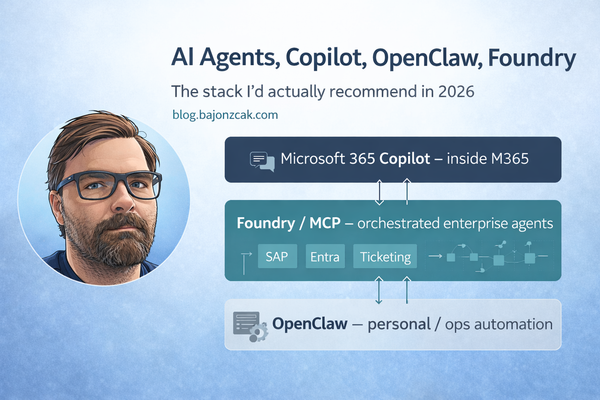
In a previous post I outlined how I see the 2026 AI/automation stack:
- Copilot for the inside‑M365 experience,
- Foundry/MCP for orchestrated enterprise agents across multiple systems,
- OpenClaw for personal and team‑level automation on infrastructure you own.
From that perspective, the “CI/CD system with a personality” view helps to place OpenClaw:
- it’s close to your code, your scripts and your machines,
- it’s fully under your control (self‑hosted),
- it’s allowed to be a bit more experimental than your main enterprise stack,
- but it deserves the same respect as any system that can run commands on your behalf.
And the personality part? That’s the part that makes it fun and a bit addictive – the fact that you can DM your automation like a colleague and say:
- “Ship this draft as a Ghost post and send the push.”
- “Check if any of my side projects have failing health checks.”
- “Tell me what changed in repo X since yesterday that I should pay attention to.”
Underneath, it’s still scripts, APIs and cron. But on the surface, it feels a lot more like talking to a teammate who knows your environment well.
My take
I don’t see OpenClaw as a replacement for Jenkins, GitHub Actions, Azure DevOps or whatever you use for “serious” pipelines. I see it as the missing piece between those heavyweights and the messy reality of developer and side‑project life.
As long as you:
- run it under the right user,
- give it a carefully chosen view of your world,
- and keep a human hand on the truly dangerous levers,
it can be a ridiculously useful CI/CD and ops companion – one that not only runs your workflows, but also explains what it’s doing and helps you refine the next iteration.
And that, to me, is the sweet spot: not “AI runs everything”, but “automation with a personality that makes it easier to ship and operate the things you actually care about.”