SAP HR, Entra ID and Copilot: Three Identity Mistakes I Keep Seeing
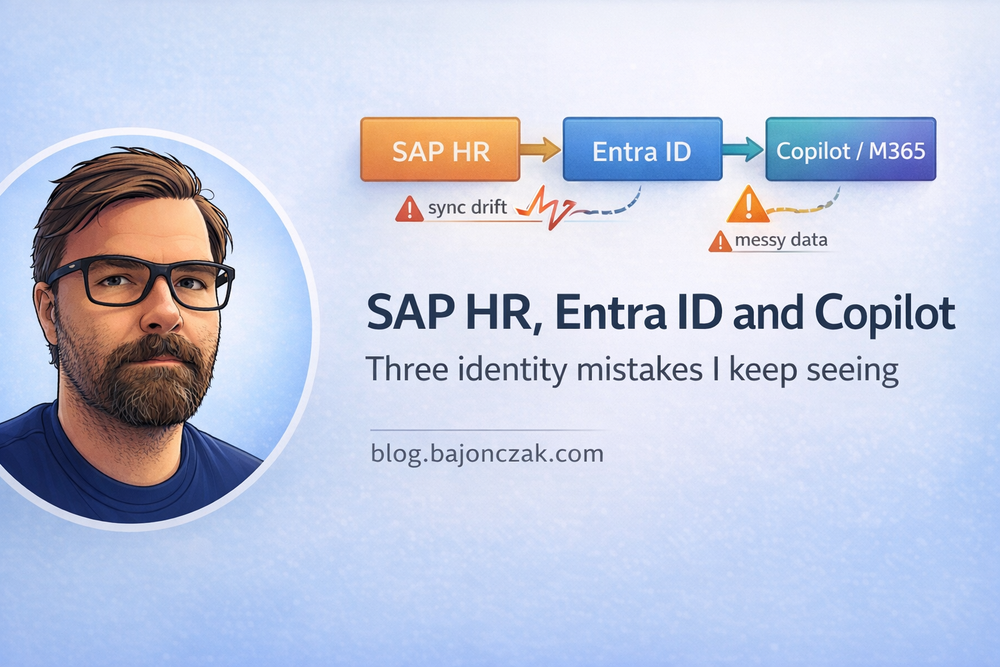
When you put SAP HR, Entra ID and Copilot into the same sentence, the slide usually looks clean:
- SAP (or SuccessFactors) is the system of record for people and org structure.
- Entra ID is your identity and access front door.
- Copilot sits on top of Microsoft 365 and “knows your organisation”.
In reality, there are a few recurring cracks in that picture – and they show up long before you even touch Copilot:
- HR and IT don’t quite agree on who “owns” identity data.
- SAP and Entra are “roughly in sync”, but nobody can prove it quickly.
- Copilot is rolled out on a tenant that was never designed with AI in mind.
In this post I want to call out three identity mistakes I keep seeing in SAP‑heavy environments that directly impact Entra ID and, by extension, Copilot.
None of them are new. Copilot just makes them much more visible.
Mistake 1: Treating SAP ↔ Entra sync as a black box
Almost every SAP customer has some kind of sync between HR and Entra:
- a standard connector,
- a homegrown ETL job,
- a BTP or CPI flow,
- or a mixture of all of the above.
On paper, the story is simple: SAP is the source of truth, Entra reflects “who works here and what they do”.
In practice, I see a few flavours of the same problem:
- nobody can say, on the spot, how many active employees in SAP don’t have an Entra account,
- there is no easy way to list Entra accounts that have no corresponding SAP record (excluding service accounts),
- department, manager and role information drifts between SAP and Entra over time.
As long as you only used Entra as “the thing that lets people log in”, this was annoying but survivable. Once Copilot starts using your Entra graph as context, it becomes more than that.
Copilot will happily answer questions like:
- “Who is the manager of X?”
- “Which department does Y belong to?”
- “Show me open tasks or documents for team Z.”
Those answers are only as good as your identity data. If SAP and Entra disagree, Copilot faithfully reflects the disagreement.
What I’d do differently
Instead of treating the sync as “that thing that runs at 3am”, I’d treat it as a small product:
- give it an owner (or small team) jointly between HR and IT,
- define what “healthy” looks like (maximum tolerated drift, sync latency, exceptions),
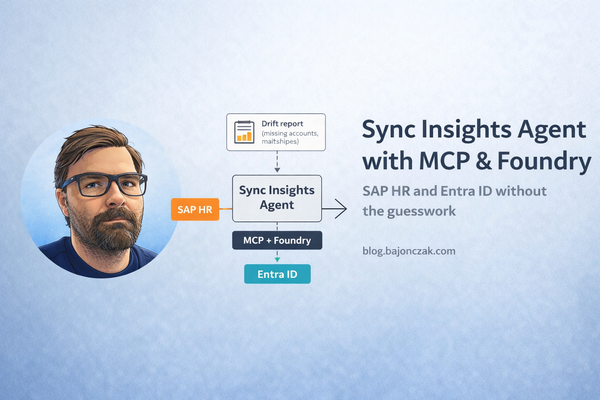
- add a Sync Insights layer on top – an agent or reporting job that can answer, in plain language:
- “Show me active SAP employees without Entra accounts.”
- “Show me Entra accounts with no SAP record.”
- “List department mismatches between SAP and Entra.”
You don’t have to fix every mismatch automatically. But you should stop pretending the black box is fine just because nobody touches it.
Mistake 2: Blurring the line between HR data and collaboration data
The second pattern is more subtle: HR data leaking into places where it doesn’t belong – and then surfacing via Copilot.
Typical examples:
- Spreadsheets with salary information stored in broadly accessible SharePoint sites “just for a moment”.
- Performance review notes living in personal OneDrives that have never been cleaned up.
- Org change plans emailed around and then forgotten in mailboxes that Copilot can search.
That’s not really SAP’s fault. It’s what happens when people export data out of SAP/SuccessFactors into tools that were never meant to be long‑term systems of record for sensitive HR content.
Without Copilot, this was already a governance and security issue. With Copilot, the impact is multiplied:
- a normal user might never stumble across that old spreadsheet via manual search,
- Copilot, however, can connect dots across mails, files and chats and surface “helpful” summaries.
It’s the classic “Security Trimming as Insider Threat” problem, but for HR.
What I’d do differently
I’d make a very clear distinction between:
- HR systems of record (SAP, SuccessFactors, dedicated HR apps),
- collaboration space (M365: SharePoint, Teams, OneDrive, mail).
And then I’d put a few simple rules in writing:
- Which HR reports are allowed to live in M365 at all (and where)?
- Which data types must never be stored in general collaboration spaces (e.g. raw salary tables, full performance review exports)?
- How long temporary exports are allowed to live before they must be deleted or moved back into a system of record.
On the Copilot side, I’d treat HR‑sensitive content as a separate category:
- Either it is deliberately brought into Copilot via specialized HR agents with tight scoping and HR‑only audiences.
- Or it is kept deliberately out of general Copilot scope by fixing permissions and cleaning up collaboration spaces.
“We’ll see what Copilot finds” is kein Governance‑Konzept.
Mistake 3: Assuming Copilot will understand SAP roles and org charts by osmosis
The third mistake is a conceptual one: believing that once Copilot is turned on, it will “understand the organisation” simply because SAP and Entra exist somewhere in the background.
What Copilot actually sees by default is:
- M365 artefacts (documents, mails, chats, sites) via Graph.
- Entra ID as identity and access context.
It does not automatically understand:
- SAP role concepts (positions, jobs, personnel areas, custom HR attributes).
- Which SAP attributes map to which Entra/M365 concepts.
- Which HR structures are “internal plumbing” vs. useful for Copilot answers.
If you never translate your SAP model into something Copilot can see (via Entra attributes, Graph connectors, dedicated agents, documentation), Copilot will make naive assumptions based on what’s in M365:
- Org charts reconstructed from who appears in which meetings and threads.
- Role concepts inferred from distribution lists and Teams memberships.
That can be directionally helpful – but also very misleading.
What I’d do differently
First, I’d be explicit about which HR concepts matter for Copilot at all:
- manager relationships,
- department/organisation units,
- maybe job families or seniority bands (carefully),
- locations/time zones.
Then I’d work with HR and identity/Entra teams to:
- map the relevant SAP attributes into Entra in a consistent way (and keep them in sync),
- document the mapping somewhere humans can read it,
- decide consciously which of these attributes can be used in Copilot scenarios (e.g. dynamic audiences, routing, personalisation).
If you go further and build SAP‑aware agents (via MCP/Foundry or other backends), I’d make that mapping an explicit part of the design:
- Agents should be able to resolve a user from an Entra identity back to the relevant SAP record(s).
- They should enforce SAP/HR‑level rules around who can see what about whom.
In other words: don’t hope Copilot “learns” your org structure by magic. Give it a clean, governed view of the parts that matter.
My take
None of these mistakes are new. SAP HR and Entra ID have had friction points for a long time, and collaboration environments were often full of Excel shadow data even before Copilot. What is changing is the visibility: Copilot makes poor identity data more visible. Copilot makes HR data leaks in M365 noticeable faster. Copilot amplifies misunderstandings about your role and org models. The good news: you don’t have to reinvent anything. If you: treat your SAP↔Entra sync as a product instead of a black box, cleanly separate HR data from collaboration data, and deliberately define which SAP concepts Copilot should even be aware of, then Copilot becomes more of an amplifier of your clean structures rather than an amplifier of your legacy issues. And as a side effect, you also end up with a much better foundation for everything that comes next: specialized HR agents, sync insight tools, or Foundry/MCP workflows that build on an identity landscape you actually understand.