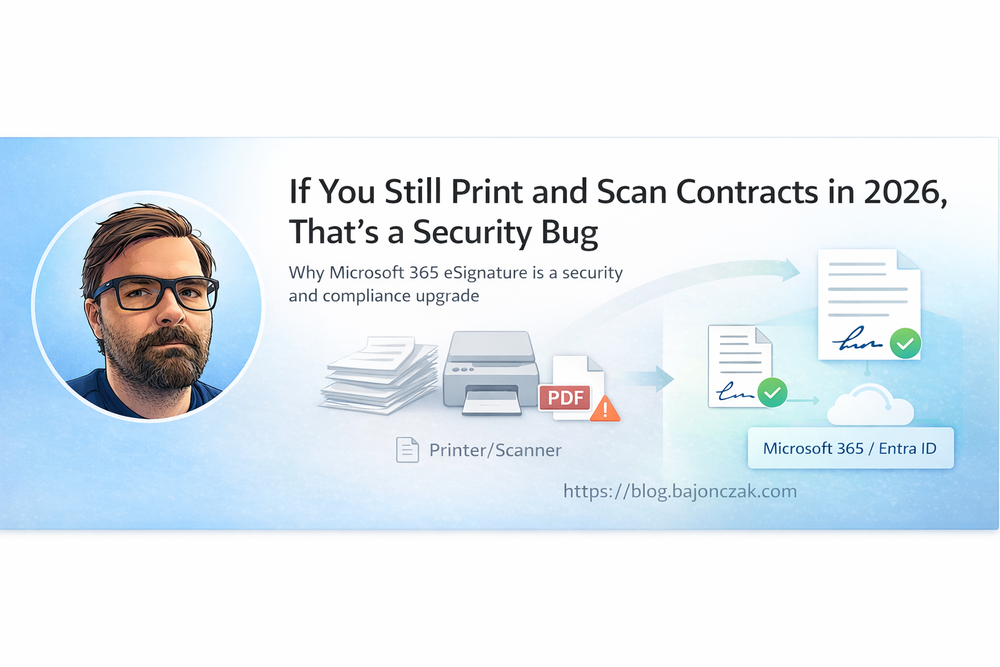
If You Still Print and Scan Contracts in 2026, That’s a Security Bug
In almost every company I visit, I still see the same scene: someone prints a contract, signs it with a pen, walks it over to a manager for a second signature, then scans it back in and sends a PDF around by email. Nobody really questions it, because “we’ve always done it that way”.
In 2012, that was normal. In 2026, I’d call it a security bug.
Not because paper is evil, but because the whole print–sign–scan workflow lives outside the security and compliance world you’ve already invested in. It’s hard to reconstruct who saw what, when. Copies land in places nobody tracks. And while you spend a lot of time and money hardening Microsoft 365 – Entra ID, Conditional Access, DLP, retention – one of your most important processes, signing agreements, is often running as a side quest next to it.
In this post I want to explain why I see it that way and why Microsoft 365 eSignature is not just a “nice convenience feature”, but a real security and compliance upgrade.
What actually happens when you print and scan
Let’s be honest about what your paper signing flow really looks like.
It usually starts in some system – ERP, CRM, DMS, whatever. Someone exports a contract as a PDF and saves it somewhere: on the desktop, in a random file share, in a personal OneDrive folder, wherever they have muscle memory.
They print it. From that moment on, you have a physical copy lying around: on the printer, on a desk, in a stack of “I’ll deal with this later”. Nobody knows exactly how many people walk past it or glance at it.
Then come signatures. The first person signs, the second is hunted down in the hallway, maybe there’s a last-minute change, so the whole thing is printed again, re-signed, re-scanned. At the end, the contract hits a scanner – often a shared multi‑function device that “belongs” to no one. The device drops a PDF into some generic scan folder or sends it via email from a technical SMTP account.
From there, the file goes on tour: legal, finance, the customer, internal stakeholders. Everyone saves their own copy. Some people forward it, some print it again. Six months later, when you try to reconstruct who saw which version and who signed what, you end up doing email archaeology and digging through files named final_contract_v7_signed_scan.pdf.
Formally, the process might still be “okay enough” to get by. But from a security and compliance perspective it’s a mess: uncontrolled digital copies, at least one physical copy, and at best a fuzzy audit trail.
What changes with Microsoft 365 eSignature
With Microsoft 365 eSignature, you move that signing flow into an environment that already knows a lot about your users and your documents:
- who the user is (Entra ID identity),
- which tenant they belong to,
- which policies apply (MFA, Conditional Access, DLP, retention),
- and where content is supposed to live.
Instead of loosely connected PDFs and scans, you get a tracked signing workflow:
- a clear request that is initiated from within Microsoft 365,
- recipients that are real identities (internal Entra users or properly onboarded guests),
- and an audit trail that sits inside your existing compliance boundaries.
On the practical side, that means:
- far fewer “Scan_0001.pdf” zombies in random mailboxes,
- no guessing which PDF is actually the final one,
- a much cleaner story for your DPO and your auditors.
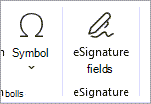
Screenshot 1: Sending a request inside Microsoft 365
This is where a visual helps. If you open the Microsoft adoption page for eSignature, you can see how the “send for signature” experience is meant to look directly inside Microsoft 365.
In your blog, this is a good place to show a screenshot like:
- a real eSignature send dialog in Word, Outlook or SharePoint,
- with a document already selected, recipients added and fields configured.
The point of that image is simple: signing doesn’t start on a printer anymore – it starts where the document already lives, inside Microsoft 365.
Why I call print–sign–scan a security bug
Security is not just about crypto and fancy products. It’s also about how easy it is for normal people to accidentally do the wrong thing.
The classic print–sign–scan flow makes it trivial to do things you don’t actually want:
- leave sensitive contracts on shared printers,
- store “final” versions in personal file locations,
- forward PDFs from unmanaged devices or even private email accounts,
- lose track of which copy is the one that matters.
You don’t need a malicious insider for this to be a problem. Normal, well‑meaning people create unnecessary attack surface simply because the process is messy and unstructured.
When you move the same use case into Microsoft 365 eSignature, you don’t instantly become perfectly compliant. But you do something important:
- you anchor signing in your identity system (Entra ID),
- you reuse policies you already have (MFA, Conditional Access, DLP),
- and you cut down the number of uncontrolled copies by design.
For me, that’s the difference between “we sort of manage” and “we are actively reducing attack surface”.
Where Microsoft 365 eSignature fits in the real world
I’m not saying Microsoft 365 eSignature replaces every signing solution on the planet. There are absolutely scenarios where a specialised provider like Adobe Acrobat Sign or DocuSign still makes more sense – for example:
- very complex external signing chains,
- highly regulated cross‑border scenarios,
- or very specific legal requirements in certain industries or jurisdictions.
But there is a huge middle ground that looks the same in many organisations:
- internal HR flows (contracts, policy acknowledgements, consent forms),
- standard customer contracts and renewals,
- smaller vendor agreements,
- one‑off approvals and sign‑offs.
For that space, the combination of Microsoft 365 + eSignature is almost too obvious:
- you already create and store documents there,
- your employees already authenticate with Entra ID,
- you already pay for the platform and its security features.
Enabling eSignature doesn’t mean introducing yet another tool with its own identity silo. It means attaching a structured signing experience to something you’ve already secured.
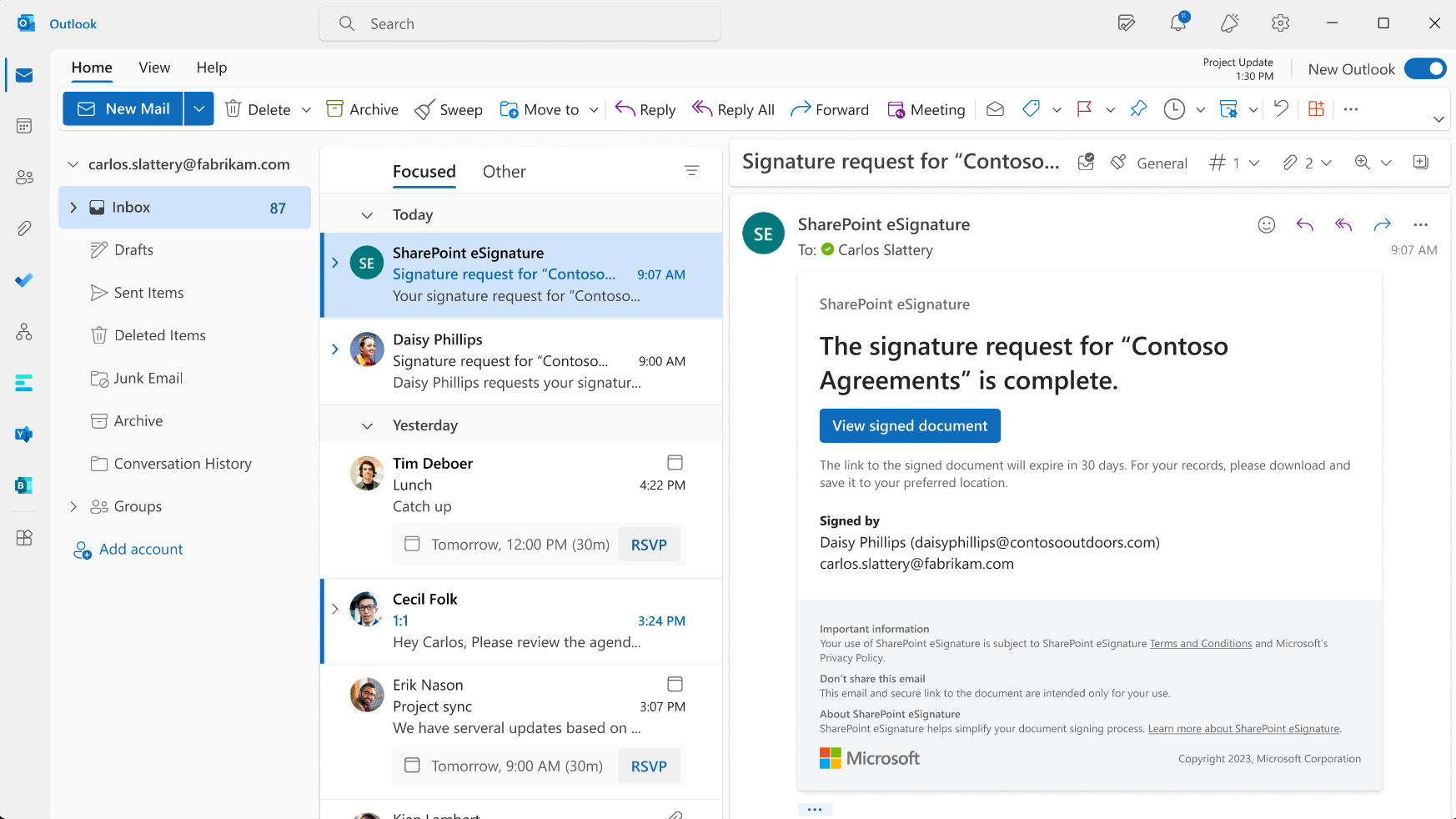
This makes it obvious that signers are not dealing with some random scan attachment, but a structured flow with clear steps.
How I’d approach this as a security or IT owner
If I were responsible for security or IT in a mid‑sized company, I wouldn’t treat signing as a background chore anymore. I’d do a one‑time mapping of the main signing flows:
- Which flows are internal (HR, internal approvals)?
- Which flows hit customers or partners?
- Which flows are legally critical vs. “nice to have on record”?
Then I’d split them into two buckets:
- high complexity / high risk – this is where a specialised provider might remain the best option,
- high volume / moderate complexity – this is where Microsoft 365 eSignature is a very strong default.
For that second bucket, I’d explicitly flip the default:
“If this scenario can run through Microsoft 365 eSignature, that’s what we do. Printing and scanning is the exception, not the standard.”
That change alone doesn’t transform your entire security posture overnight, but it nudges a huge amount of day‑to‑day work into a safer, more traceable pattern. And it gives you a far cleaner story when someone asks:
- Who approved this?
- When exactly did they sign?
- How long do we keep the signed version?
- What happens if we need to prove this in front of an auditor or a regulator?
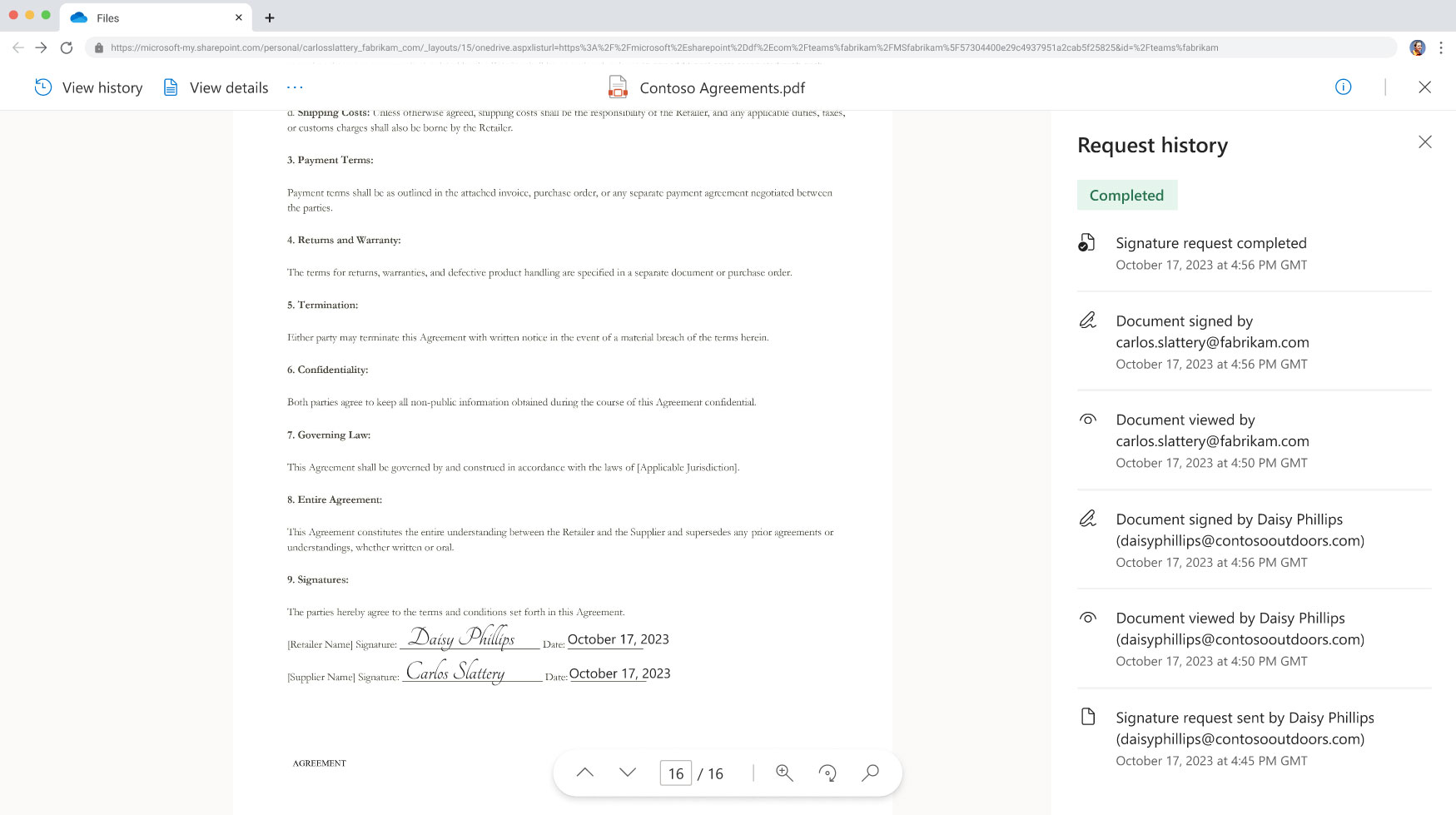
This is the picture you want in people’s heads when they think about “how signing works here” – not a pile of PDFs in someone’s mailbox.
Conclusion: stop treating signatures as a side quest
Print–sign–scan survived for a long time because it “kind of worked” and everyone knew how to use a printer. But in 2026, when you’re already investing heavily into identity, cloud security and compliance, it doesn’t make sense to run a core business process on the side, disconnected from all of that.
Taking Microsoft 365 eSignature seriously means treating signing like any other critical process:
- bound to real identities,
- protected by the policies you already have,
- and visible in an audit trail you can actually explain.
That’s why I’m comfortable calling the old print–sign–scan approach a security bug in 2026. Not because it never worked, but because there’s now a much better default available – and choosing not to use it is, in many environments, a conscious decision to accept more risk than you need to.