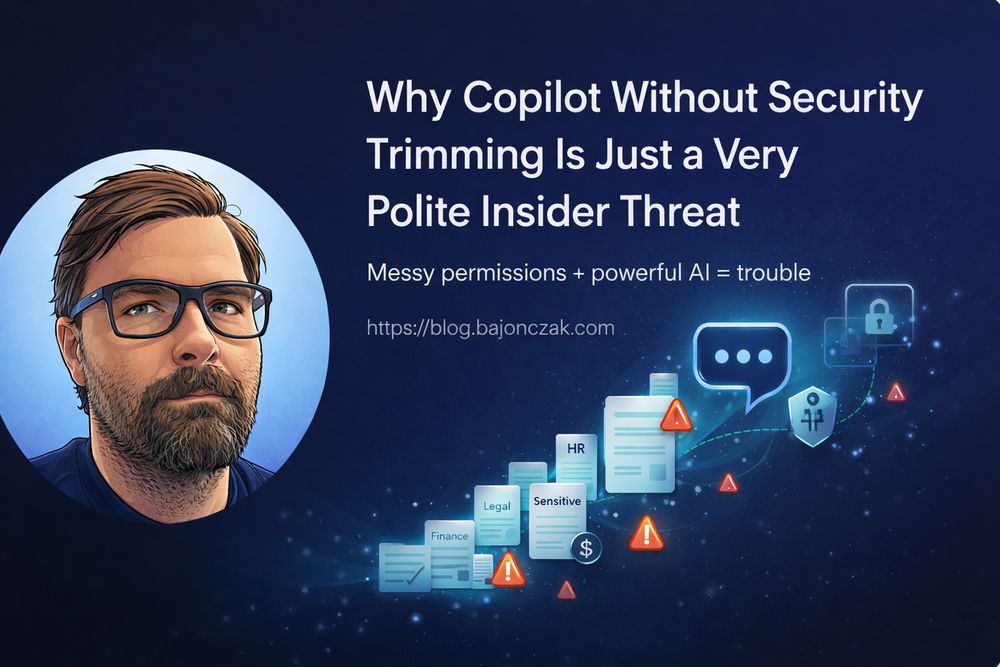
Why Copilot Without Security Trimming Is Just a Very Polite Insider Threat
When people talk about Microsoft 365 Copilot, they usually focus on the cool demo moments: “summarise this document”, “prepare a reply”, “give me the key risks from last quarter’s deck”.
All of that is fine. But there is an uncomfortable angle that often gets hand‑waved away:
A Copilot deployment without proper security trimming is basically a very polite insider threat.
Not because Copilot is evil, but because you are giving a very powerful search and reasoning engine access to whatever your identity and data model allows it to see. If that identity and data model is messy, over‑permissive or incomplete, Copilot will faithfully amplify those problems.
In this post I want to walk through why I see it that way, what “security trimming” actually means in practice, and how I would approach Copilot rollouts if I didn’t want to wake up to an unpleasant surprise.
What Copilot actually sees
Let’s start with the basics. When Copilot fetches context for a user, it doesn’t bypass Microsoft 365. It asks Microsoft Graph, and Graph applies the same access checks as for normal search:
- SharePoint and OneDrive documents,
- Teams chats and channel messages,
- Exchange emails,
- Planner/Loop/other M365 content depending on your tenant.
Graph only returns items the current user is allowed to access. That’s the good news.
The bad news is: if your permissions are a mess, Copilot sits on top of that mess.
All of the classic SharePoint and Teams anti‑patterns translate 1:1 into Copilot risk:
- “Everyone except external users” used on sites that contain sensitive content,
- old project sites where access was never cleaned up,
- ad‑hoc sharing with “anyone with the link”,
- mailboxes that still contain data nobody should have kept in the first place.
As long as people were searching manually, a lot of this flew under the radar. With Copilot, a normal user can suddenly ask broad, cross‑cutting questions like:
- “Summarise our restructuring plans for the next six months.”
- “What are the current salary bands for senior engineers in Germany?”
- “Give me a list of ongoing investigation cases.”
If there are documents, mails or Teams threads that match those queries and the user technically has access (even if they should not), Copilot will happily connect the dots.
Security trimming: not a buzzword, just basic hygiene
“Security trimming” sounds like marketing, but the idea is simple:
Users should only see what they are supposed to see – and AI should only use data that user is allowed to see.
For Copilot in Microsoft 365, the first part is older than Copilot itself: it’s the normal M365 permission model. The second part is about not bypassing that model when you extend Copilot.
In practice, I think about three layers:
- Native M365 content: SharePoint/OneDrive/Teams/Exchange.
- Indexed external content: Graph connectors.
- Live systems and actions: custom plugins/agents.
Each needs its own security trimming story.
Layer 1: fix your own house first
Before you even think about fancy plugins, the boring part matters most: clean up your M365 permissions.
If you connect Copilot to a tenant where:
- executive documents live on broadly shared sites,
- HR files sit in semi‑public libraries “because it was convenient”,
- Teams channels are used as dumping grounds for anything sensitive,
then Copilot is not your problem – your information architecture is.
I’d start with a few ugly, practical questions:
- Do we know where our “crown jewels” actually live (Layoff plans, salary data, M&A decks, investigation reports)?
- Are those locations locked down to the right groups?
- Are we still over‑using “Everyone except external users” on sites that contain sensitive stuff?
- Do we have sharing links floating around that effectively bypass group‑based access?
Copilot doesn’t change how any of this works. It just makes the consequences much more visible.
Layer 2: Graph connectors – powerful, but dangerous if you’re lazy
Graph connectors are a great way to bring external content into Microsoft Search and Copilot: Confluence, file shares, line‑of‑business systems, you name it.
The security model is straightforward:
- You create an
externalConnection. - You push
externalItemobjects into it. - Each item has an
aclarray that defines who can see it.
If you get the ACLs right, Graph will trim results for you. If you don’t, you’ve just built a single search index that ignores years of permission work in the source system.
The dangerous shortcut looks like this:
- Use a technical account to read “everything” from Confluence or a file share.
- Push all pages/files as external items.
- Assign them very broad ACLs (“Everyone in the company”).
Congratulations, you’ve just flattened your permissions into one big, friendly leak.
Doing it properly takes more effort: you have to map source permissions to ACLs when you index. But that’s the price of not turning Copilot into an unintentional data exfiltration layer.
Layer 3: custom plugins and agents – your backend is the security model
For live systems – SAP, ticketing, finance, HR, custom apps – you can’t rely on indexes alone. You build plugins or agents that call APIs in real time.
Here, security trimming is 100% your responsibility. Microsoft can’t inspect what your backend does.
A few patterns I consider dangerous:
- Using a god‑mode service account with full access to a system.
- Not passing user context from Copilot to your backend (no user id, no roles, nothing).
- Letting the agent query arbitrary tables/entities with no filtering.
Combine that with broad natural language questions, and you’ve built a polite, AI‑driven data‑dumper.
The alternative is more boring but much safer:
- Pass a user identifier (UPN, ObjectId) from Copilot to your backend.
- Look up roles/groups/permissions server‑side.
- Apply an ACL filter in your code before the LLM ever sees any data.
- Optionally add simple topic guards (if question contains “salary” and user is not in HR, refuse).
That’s not rocket science. It’s just taking your existing security model seriously.
Concrete guardrails I’d put in place
If I had to write down a short, opinionated checklist for Copilot security trimming, it would look like this:
- Fix your basics first. Review where your sensitive documents live and who has access. Don’t let Copilot be the first time you realise half the company can see the CEO’s layoff deck.
- No blind Graph connectors. If you can’t or won’t map source permissions into ACLs, don’t index that system for Copilot.
- No god‑mode service accounts in plugins. Always pass user context and enforce permissions in your backend.
- Topic guardrails for generic agents. It’s okay to hard‑block categories like compensation, layoffs or investigations for “normal” roles. Build dedicated, tightly scoped agents for HR/Legal if they really need AI support there.
- Logging and review. Log which tools are called for which users and what systems they touch. You don’t need to store all content, but you do want to see patterns like “this user keeps asking for sensitive things”.
Copilot is not the villain here
It’s tempting to blame Copilot for all of this. I don’t think that’s fair.
Copilot is very good at what it’s supposed to do: take the data you have, respect the permissions the platform knows about, and help users answer questions based on that.
If your permissions and extensions are sane, Copilot can be a massive productivity boost without turning into a compliance nightmare. If they aren’t, Copilot will surface exactly the things you’ve been ignoring for years.
That’s why I keep coming back to this line:
A Copilot deployment without proper security trimming is basically a very polite insider threat.
Not because the AI is “out to get you”, but because it’s the first time many organisations put a powerful, cross‑cutting question engine on top of a permission model nobody ever really stress‑tested.
If you take security trimming seriously – native content, connectors, plugins – Copilot becomes what it should be: a sharp tool in the hands of people who are allowed to use it, instead of a spotlight that accidentally exposes the cracks in your access model.