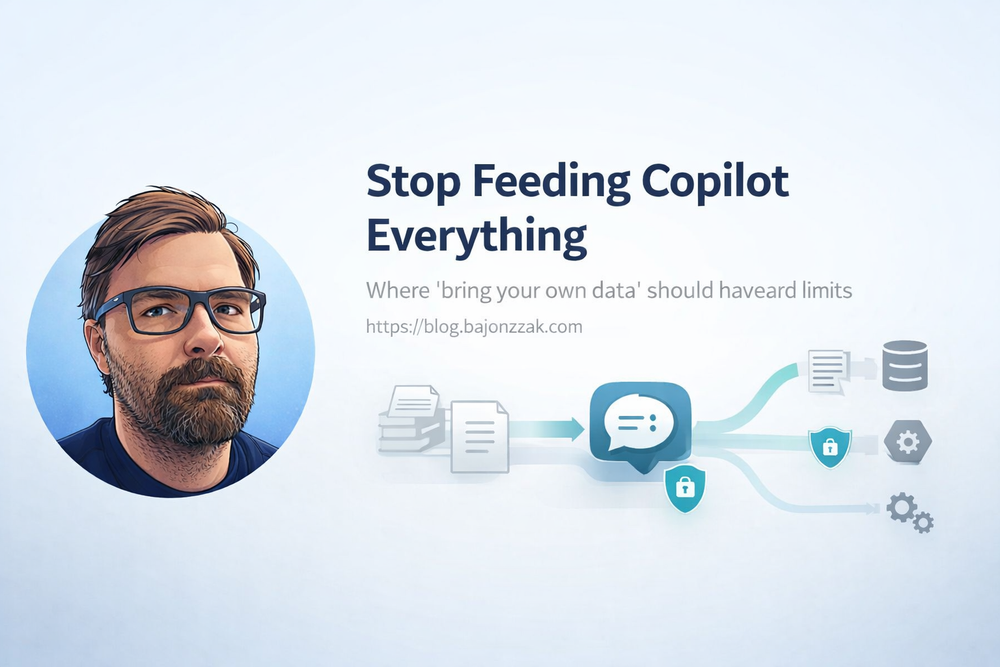
Stop Feeding Copilot Everything: Where ‘Bring Your Own Data’ Should Have Hard Limits
“Bring your own data” is the new magic phrase in the Copilot world. Vendors demo it as if you can just flip a switch and suddenly your AI assistant knows everything your company knows.
Technically, you can plug a lot of sources into Microsoft 365 Copilot: SharePoint, file shares, Confluence, Jira, databases, custom APIs…
The more interesting question is:
Which data should you never feed into a generic Copilot in the first place?
In this post I’ll argue for some hard limits on “bring your own data”, based on:
- where Security Trimming actually works out of the box,
- where you need your own guardrails,
- and where the right answer is simply “No, this doesn’t go into Copilot at all.”
1. Where Copilot is naturally strong: M365 content with sane permissions
Let’s start with the part that works best:
- documents in SharePoint and OneDrive,
- conversations in Teams,
- emails in Exchange,
- tasks/plans in Planner, etc.
All of this flows into the Microsoft Graph index and Microsoft Search. When Copilot asks Graph for context, Graph enforces ACLs for the current user. If Alice doesn’t have access to a file, it doesn’t show up in her Copilot answers.
That doesn’t mean you’re done – you still need to:
- stop dumping “secret CEO docs” into broad collaboration sites,
- avoid overusing “Everyone except external users” on sensitive libraries,
- and generally treat SharePoint as a real DMS, not a file dump.
But at least the security model is clear and enforced at the platform level.
2. Where BYO data starts to hurt: external sources without proper trimming
The story changes once you plug in external systems:
- Confluence wikis,
- file shares,
- line-of-business apps,
- databases, custom APIs…
There are roughly two ways people do this today:
- Microsoft Graph connectors that index external content as
externalItem. - Custom agents/plugins that call your APIs at runtime.
Both are valid. Both can be safe. Both can be incredibly dangerous if you ignore Security Trimming.
2.1. The “god mode service account” trap
A common anti-pattern looks like this:
- Copilot calls a custom connector / agent.
- The agent uses a technical account to query Confluence, Jira, SQL, etc.
- That account can see “everything”.
- The agent returns whatever it finds to Copilot, regardless of who is asking.
You’ve effectively built a very polite internal data exfiltration tool.
Queries like:
- “List upcoming restructurings.”
- “What are the salaries of senior engineers in Germany?”
- “Show me current investigation reports.”
might not return anything in normal M365 search, but suddenly work great via Copilot – because you gave one backend user access to all of it.
3. Categories of data that should trigger a hard “why?”
Before talking about mechanics, let’s be very clear on what we’re talking about.
Whenever someone suggests “let’s bring system X into Copilot”, I’d ask:
- Does this system contain any of the following?
- HR & compensation data
Salaries, bonuses, performance reviews, promotion decisions, layoff lists. - Legal & compliance data
Investigations, incident reports, privileged legal advice, whistleblower cases. - Security-sensitive logs & configs
Firewall rules, security incident logs, vulnerability reports, secrets. - Highly regulated customer data
Health records, financial transaction details, anything under strict regulation.
If the answer is “yes”, I’d default to:
- no generic Copilot access to that system,
- or only carefully scoped, role-specific agents with explicit topic guards.
Not “never”, but “only with a very conscious design”.
4. Graph connectors: powerful, but ACLs are everything
Graph connectors extend the Microsoft Search/Copilot index to external content sources. They’re great when:
- content is mostly read-only,
- you can express permissions as ACLs,
- and you’re okay with near-real-time instead of per-request freshness.
The security story:
- you push items as
externalIteminto anexternalConnection, - each item carries an
aclarray, - Graph uses that ACL when answering searches and Copilot requests.
If your ACLs are wrong, your security is wrong.
Example (TypeScript, simplified):
import fetch from 'node-fetch';

const GRAPH_BASE = 'https://graph.microsoft.com/v1.0';
const CONNECTION_ID = 'contosoConfluence';

async function getAppToken(): Promise<string> {
  // client credentials flow for your app registration
  return '<token>';
}

type SourcePage = {
  id: string;
  title: string;
  url: string;
  body: string;
  allowedUsers: string[];     // AAD IDs or UPNs
  forbiddenUsers?: string[];  // optional explicit deny list
};

export async function pushExternalItem(page: SourcePage) {
  const token = await getAppToken();

  const grantAcl = page.allowedUsers.map(userId => ({
    type: 'user',
    value: userId,
    accessType: 'grant' as const
  }));

  const denyAcl = (page.forbiddenUsers ?? []).map(userId => ({
    type: 'user',
    value: userId,
    accessType: 'deny' as const
  }));

  const item = {
    id: page.id,
    properties: {
      title: page.title,
      url: page.url
    },
    content: {
      type: 'text',
      value: page.body
    },
    acl: [...grantAcl, ...denyAcl]
  };

  const res = await fetch(
    `${GRAPH_BASE}/external/connections/${CONNECTION_ID}/items/${page.id}`,
    {
      method: 'PUT',
      headers: {
        'Content-Type': 'application/json',
        'Authorization': `Bearer ${token}`
      },
      body: JSON.stringify(item)
    }
  );

  if (!res.ok) {
    console.error('Failed to push externalItem', await res.text());
    throw new Error('graph_error');
  }
}
If you take the time to map your external permissions into these ACLs properly, Graph will do the trimming for you. If you don’t, you’re back to square one.
5. Custom agents: your backend is the security model
For live data and actions (“create ticket”, “get current balance”, “trigger deployment”), Graph connectors aren’t enough. You need an agent that calls your APIs.
The architecture looks like this:
flowchart LR
  U[User] -- ask --> C[Copilot]
  C -- call tool --> A[Agent]
  A -- HTTP --> B[Your Backend]
  B --> SYS[Systems]
Here, your backend is the entire security model.
Minimal pattern in Node/Express:
// permissions.ts
export type UserContext = {
  email: string;
  roles: string[];
  groups: string[];
};

export async function getUserPermissions(email: string): Promise<UserContext | null> {
  const entry = await directoryLookup(email); // Entra / IAM lookup
  if (!entry) return null;
  return { email, roles: entry.roles, groups: entry.groups };
}
// acl.ts
import { UserContext } from './permissions';

export type DocumentAcl = {
  allowedRoles?: string[];
  allowedGroups?: string[];
  forbiddenRoles?: string[];
};

export type ExternalDoc = {
  id: string;
  title: string;
  url: string;
  content: string;
  acl: DocumentAcl;
};

function hasAccess(doc: ExternalDoc, user: UserContext): boolean {
  const { allowedRoles, allowedGroups, forbiddenRoles } = doc.acl;

  if (forbiddenRoles && forbiddenRoles.some(r => user.roles.includes(r))) {
    return false;
  }

  if (!allowedRoles && !allowedGroups) {
    // Default: visible to all employees
    return true;
  }

  if (allowedRoles && allowedRoles.some(r => user.roles.includes(r))) {
    return true;
  }

  if (allowedGroups && allowedGroups.some(g => user.groups.includes(g))) {
    return true;
  }

  return false;
}

export function filterDocsByAcl(docs: ExternalDoc[], user: UserContext): ExternalDoc[] {
  return docs.filter(doc => hasAccess(doc, user));
}
Then your agent endpoint:
// agentHandler.ts
import { Request, Response } from 'express';
import { getUserPermissions } from './permissions';
import { filterDocsByAcl, ExternalDoc } from './acl';
import { buildAnswerFromDocs } from './rag';

interface AskRequest {
  question: string;
  userEmail: string;
}

interface AskResponse {
  answer: string;
  sources: { title: string; url: string }[];
}

function isForbiddenQuestion(question: string, userRoles: string[]): boolean {
  const lower = question.toLowerCase();

  const sensitivePatterns = [
    'salary',
    'compensation',
    'bonus',
    'layoff',
    'termination list',
    'performance review',
    'investigation',
  ];

  const isSensitive = sensitivePatterns.some(p => lower.includes(p));
  if (!isSensitive) return false;

  const privilegedRoles = ['HR', 'HR_ADMIN', 'LEGAL', 'C_LEVEL'];
  const isPrivileged = privilegedRoles.some(r => userRoles.includes(r));

  return !isPrivileged;
}

export async function copilotAgentHandler(req: Request, res: Response) {
  const body = req.body as AskRequest;

  if (!body.question || !body.userEmail) {
    return res.status(400).json({ error: 'question and userEmail are required' });
  }

  const user = await getUserPermissions(body.userEmail);
  if (!user) {
    return res.status(403).json({ error: 'unknown_user' });
  }

  // 1) Topic guard: block certain questions for non‑privileged roles
  if (isForbiddenQuestion(body.question, user.roles)) {
    return res.json({
      answer: "I’m not allowed to answer this type of question for your role.",
      sources: []
    } satisfies AskResponse);
  }

  // 2) Fetch docs from your system
  const rawDocs: ExternalDoc[] = await rawSearchDocs(body.question);
  const docs = filterDocsByAcl(rawDocs, user);

  if (docs.length === 0) {
    return res.json({
      answer: `I couldn't find any documents you are allowed to see that answer "${body.question}".`,
      sources: []
    } satisfies AskResponse);
  }

  // 3) Use an LLM to build the final answer
  const { answer, usedDocs } = await buildAnswerFromDocs(body.question, docs);

  const response: AskResponse = {
    answer,
    sources: usedDocs.map(d => ({ title: d.title, url: d.url }))
  };

  return res.json(response);
}
Two important observations:
- you can say “no” at the question level (topic guard),
- and you can say “no” at the data level (ACL filter).
6. A simple decision table for BYO data
| Scenario | Approach | Security trimming | My default stance |
|---|---|---|---|
| Docs already in SharePoint/OneDrive/Teams | Let Graph handle it | Graph ACLs based on M365 permissions | ✅ Good starting point, focus on cleaning permissions. |
| External wiki / KB | Graph connector | ACLs you attach per item | ✅ Do it, if you can map permissions cleanly. |
| On‑prem file shares | File share / Azure Files connector | Connector maps existing ACLs | ✅ Good bridge if moving to M365 is not trivial. |
| Live business data (status, metrics, actions) | Custom agent + backend API | Backend enforces roles/groups + topic guards | ✅ With care; design security into the API. |
| HR / compensation / legal investigations | Generic Copilot access | N/A | 🚫 Default “no”; only very scoped agents if really needed. |
7. Guardrails I’d put in place
Independent of the technical path, I’d hard-code a few rules into any “bring your own data” story:
- No global service accounts without filters
If an agent uses an account that can see everything, you must filter aggressively in your backend. - Logging and auditing
Log which user asked what, and which systems were queried. You don’t need to store content, but you should know when someone repeatedly pokes around sensitive areas. - Topic-level deny lists
It’s okay to hard-block certain topics in generic agents (“salary”, “layoff list”, “investigation”). For those, build a separate, role-specific agent if needed. - Start with low-risk sources
Bring in policies, guidelines, runbooks, KB articles first. Leave HR/Legal/Security data for last – or never.
8. Conclusion: BYO data is not about dumping everything into Copilot
“Bring your own data” for Copilot should not mean “dump every system we have into a single model and hope for the best.”
Instead, I’d frame it like this:
- Use native M365 content where possible and fix your permissions.
- Use Graph connectors for read‑mostly knowledge sources where you can express ACLs cleanly.
- Use custom agents for live systems, but treat your backend as the security boundary and enforce roles, groups and topic guards there.
- Accept that some data is better handled by dedicated, role-specific tools – not a general company-wide Copilot.
If you get those basics right, “bring your own data” stops being ein Buzzword und wird zu etwas, das deinen Kolleg:innen echte Antworten liefert – ohne, dass sie Dinge sehen, die sie nie hätten sehen sollen.